
Fee Management Software
Set fees, schedule instalments, track balances, and connect payment activity to the right account—all in Booking Ninjas on Salesforce.
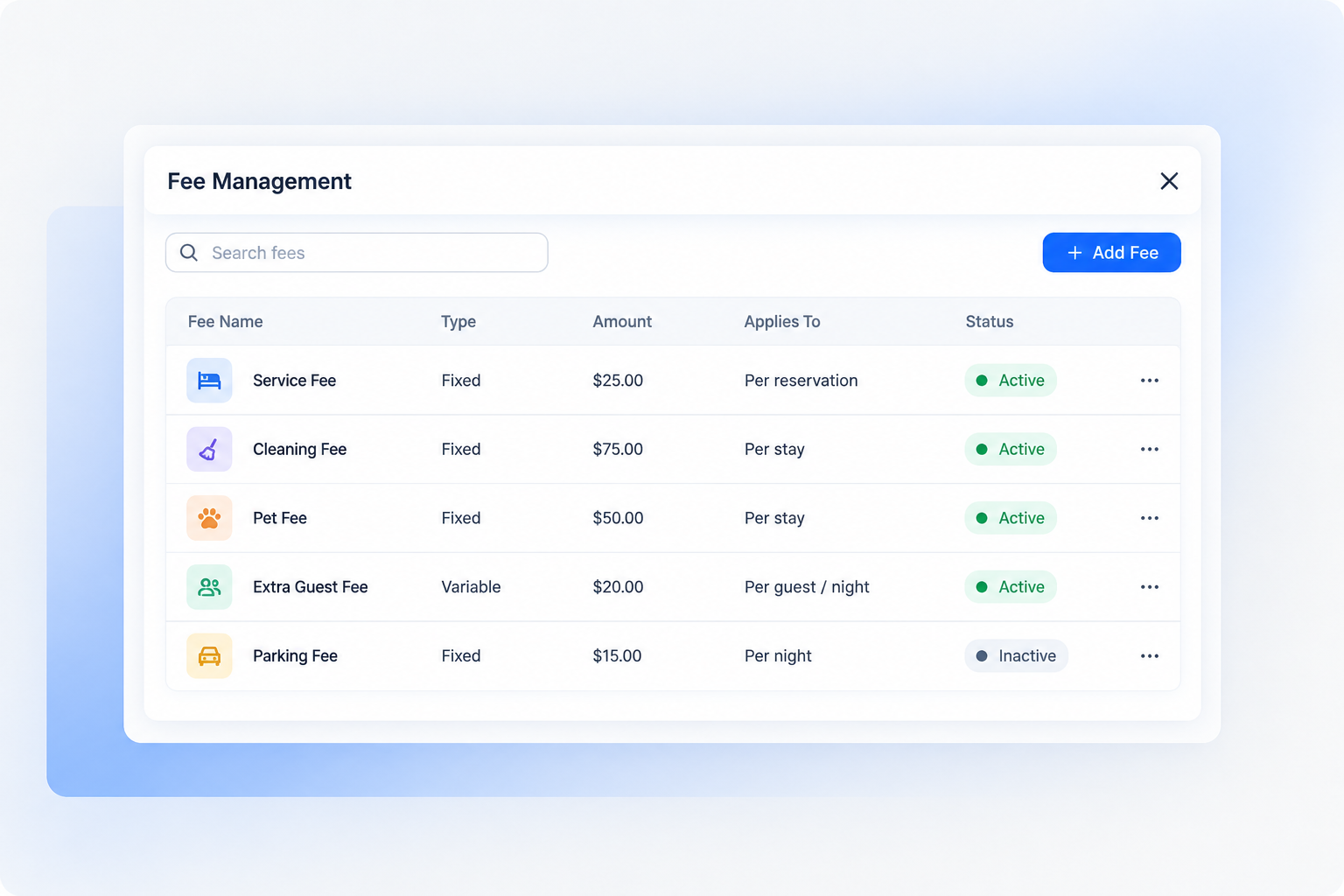
Manage Fees in One Place
Keep fee rules, invoices, payments, and balances connected to each student, member, or account.

Flexible Fee Rules
Set tuition, registration, activity, service, membership, or programme fees.
Connected Accounts
Link charges and payment activity to the people and organisations responsible for them.
Clear Balance History
Review billed amounts, payments, adjustments, credits, and outstanding balances.
Keep Instalment Plans on Track
Build a repeatable process from the first charge to the final payment.
Create the Schedule
Define due dates, amounts, terms, and the accounts included in the plan.
Send Reminders
Configure notifications around upcoming, due, or overdue payments.
Track Every Balance
See partial payments, remaining amounts, and account status in one view.
Support Complex Billing Without Extra Spreadsheets
Organise different programmes, terms, and charge types while giving finance teams a clear view of collections.
Multiple Programs and Terms
Configure the billing structure that fits your organisation.
- Term- or semester-based billing
- Programme-specific fees
- One-time and recurring charges
- Department or location reporting
Current Financial Views
Use Salesforce reports and dashboards to monitor fee activity.
- Collected and outstanding amounts
- Instalment plan status
- Aging balance summaries
- Programme and department breakdowns
Connect Billing to Your Salesforce Workflow
Keep fee records close to the CRM, reporting, permissions, and workflows your team already uses.
Shared Account Context
Give authorised teams a consistent view of the account and its fee activity.
Configurable Workflows
Route reminders, reviews, and follow-up tasks according to your process.
Salesforce Reporting
Build reports and dashboards from the fee data available in your implementation.
Optional AI-Assisted Insights
Where supported and configured, AI can help teams review patterns and decide where to follow up.
- Summarise payment and balance trends
- Surface accounts that may need review
- Flag unusual billing activity for investigation
- Compare instalment plan performance
AI features depend on the selected products, configuration, data quality, and applicable provider usage costs. Outputs should be reviewed by authorised staff.





Fee Management Pricing
Start with the Booking Ninjas platform. We confirm the fee workflow and implementation scope with you.
Booking Ninjas Platform
Per organisation or package. This is the minimum monthly Booking Ninjas subscription.
- Booking Engine included
- Reservation System included
- Salesforce-native platform foundation
Fee Management Scope
Confirm During DiscoveryYour final scope depends on the fee rules, payment schedule, reporting, integrations, and workflows you need.
- Fee and instalment requirements
- Account and payment workflows
- Reporting and dashboard needs
- Implementation plan
Implementation services, external vendor fees, transaction fees, Salesforce costs, and applicable AI usage costs are separate. Supported built-in integrations do not have a separate Booking Ninjas connector subscription fee.
Why Booking Ninjas for Fee Management?
Bring fee activity into the same operational platform as the rest of your organisation.

Built on Salesforce
Connected Account Records
Flexible Payment Schedules
Salesforce Reports and Dashboards
Frequently Asked Questions
What is fee management software?
Fee management software helps organisations set charges, schedule payments, record payment activity, and track balances.
Can it manage tuition and instalment plans?
Yes. The solution can be configured for tuition, programme fees, instalment dates, partial payments, reminders, and balance tracking.
Can it support multiple programmes or terms?
Yes. Fee rules can be organised around programmes, terms, departments, locations, or other requirements defined during implementation.
Is Fee Management built on Salesforce?
Booking Ninjas is built on Salesforce, allowing fee records to connect with CRM data, permissions, workflows, reports, and dashboards.
Does it process payments?
Payment options depend on the processors and integrations included in your implementation. Transaction and third-party provider fees may apply.
How much does it cost?
The Booking Ninjas subscription starts at a £400 monthly minimum per organisation or package. Fee Management requirements, implementation, optional products, and third-party costs are confirmed during discovery.

Make Fee Management Easier to Follow
Show us how you bill today. We’ll help map the right Booking Ninjas setup for your organisation.