.jpg)
Hospitality businesses process more than room payments. Restaurants, bars, spas, retail outlets, activities, rentals, amenities, and other services can all create transactions that need to remain connected to the customer and the wider operation.
What is a hospitality POS system?
A hospitality point-of-sale system records and processes transactions for products and services sold during the customer experience.
Depending on the business, those transactions may come from:
- Restaurants and bars
- Spa and wellness services
- Room service
- Gift shops and retail
- Activities and equipment rentals
- Amenities and additional services
- Admissions or tickets
- Other on-site purchases
The POS is responsible for the transaction. The wider hospitality platform provides the operational context around that transaction.
Booking Ninjas' Point of Sale connects transactions with customers, bookings, services, inventory, payments, and reporting inside its Salesforce-native operating environment.
How should a POS transaction connect to property operations?
A customer purchases a product, service, meal, activity, or other item.
The transaction is associated with the relevant customer, booking, service, location, or operational record.
The payment, charge, receipt, adjustment, refund, or related financial record is created according to the workflow.
Relevant inventory, reporting, customer history, and operational data can reflect the transaction.
What is the difference between a POS and a PMS?
A point-of-sale system and a property management system handle different parts of hospitality operations.
| Area | POS | PMS |
|---|---|---|
| Primary role | Process sales, charges, payments, receipts, and related transaction activity. | Manage reservations, stays, inventory, guests, property activity, and related workflows. |
| Customer context | Identifies the person or account associated with a transaction where configured. | Maintains the broader guest, customer, booking, or stay relationship. |
| Products and services | Records products, services, quantities, prices, and sales. | Connects the transaction to the wider operational context where appropriate. |
| Inventory | Can track stock or product inventory associated with sales. | Primarily maintains reservable property inventory such as rooms, units, spaces, or other bookable resources. |
| Financial workflow | Creates transaction and payment activity. | Connects charges and payments with reservations, accounts, billing, and the broader property workflow. |
Neither system should be expected to perform every function of the other. The important question is whether the records required by the full customer and operational workflow remain connected.
Why does POS-PMS integration matter?
A disconnected POS can still process a payment successfully while leaving the property team with additional work.
Staff may need to identify the guest again, re-enter a charge, reconcile separate transaction records, update another system, or reconstruct the relationship later for reporting.
Integration reduces this fragmentation by allowing the appropriate transaction data to move into the wider property workflow.

| Transaction | Context that may need to connect | Resulting workflow |
|---|---|---|
| Restaurant purchase | Guest, booking, outlet, items, amount, payment method. | Pay immediately or associate the charge with the relevant account according to the configured process. |
| Spa service | Customer, appointment or service, provider, price, payment. | Keep the service and transaction connected to the relevant customer and financial records. |
| Retail purchase | Product, quantity, inventory, customer, transaction. | Record the sale and update relevant product inventory where configured. |
| Activity or amenity | Customer, reservation or service, location, price, transaction. | Connect service usage with the financial and customer relationship. |
How should guest charges connect to a stay?
In hotel and resort environments, a purchase may need to be associated with an active guest account or reservation rather than settled as an unrelated transaction.
The system therefore needs enough context to determine which guest, booking, service, and financial record the charge belongs to.
Booking Ninjas connects POS transactions to bookings, services, customers, and related operational records. The exact room-charge, posting, settlement, or approval workflow depends on the property's configuration and payment architecture.
How does POS connect to billing and payment?
POS and payment processing are closely related, but they are not the same thing.
The POS records the commercial transaction: what was purchased, the amount, and the relevant transaction context. Payment processing handles how money is authorised and collected through the applicable payment method and provider.
Booking Ninjas' Billing & Payment environment connects financial activity with bookings, customers, services, and operational records.
This can support transactions that are paid immediately as well as financial workflows where a charge needs to remain associated with an account before final settlement.
Which payment methods can a modern hospitality POS support?
The available methods depend on the POS configuration, payment provider, region, hardware, and implementation.
Booking Ninjas' Point of Sale supports transaction workflows involving methods such as cards, cash, digital wallets, split payments, and deposits, while external payment processors can be connected through supported integrations.
Operators should evaluate the complete payment architecture rather than assuming that the POS itself determines every supported payment method.
How does POS inventory differ from property availability?
Hospitality businesses can manage at least two very different types of inventory.
| Inventory type | Examples | Typical change |
|---|---|---|
| POS inventory | Retail products, food items, beverages, merchandise, or other sellable stock. | Quantity changes when relevant products are sold, returned, received, or adjusted. |
| Reservable inventory | Rooms, apartments, spaces, activities, equipment, or other bookable resources. | Availability changes according to reservations, dates, capacity, restrictions, and operational status. |
A connected platform can preserve the distinction while still allowing product sales, services, reservations, and financial activity to contribute to the same broader operational picture.
Why connect POS transactions to customer profiles?
A transaction tells the operator what was purchased. Connecting it to an appropriate customer record adds relationship context.
That can make it possible to understand relevant purchase history alongside bookings, services, memberships, or other customer activity already available in the operating platform.
This does not mean every transaction should automatically be used for marketing or that one purchase proves a permanent customer preference.
How does POS work across multiple outlets and locations?
Larger hospitality operations may have several outlets within one property and multiple properties across a portfolio.
A useful transaction model should distinguish between:
- Property
- Outlet or department
- Terminal or transaction source
- Product or service
- Customer or account
- Employee or authorised user
- Payment method
- Transaction status
Booking Ninjas' Point of Sale supports multi-location operations, including transaction visibility, role-based controls, pricing and tax structures, and location-level reporting within the configured environment.
How should refunds and transaction adjustments be handled?
Hospitality transactions do not always end with the original sale. A property may need to process a refund, reversal, correction, or other adjustment.
These actions should preserve a relationship with the original transaction rather than simply replacing the historical record.
Booking Ninjas supports refund and reversal workflows with transaction history and auditability inside its POS environment.
Organisations should still define who is authorised to approve or perform adjustments and how exceptions are reviewed.
What should hospitality businesses measure from POS data?
The value of POS reporting is not simply seeing total sales. The transaction data can help answer more specific operational questions.
- Sales by outlet or location
- Transactions by product or service
- Payment activity by relevant method
- Refund and reversal activity
- Product inventory movement
- Purchasing periods and demand patterns
- Customer-linked transaction history
- Revenue associated with relevant services
Booking Ninjas' Insights capabilities can combine relevant transaction information with broader customer, operational, and financial records for reporting and decision support.
These reports can support operational and commercial decisions but do not guarantee higher revenue, conversion, customer satisfaction, or profitability.
Where can AI fit into POS analytics?
Once transaction records have enough structure and context, AI and analytical models can support interpretation of the data.
Depending on the available information and configured use case, this can include:
- Product-performance analysis
- Transaction-pattern detection
- Sales forecasting
- Peak-demand analysis
- Anomaly detection
- Pricing decision support
AI output should be treated as decision support. Forecasts and patterns depend on the available history, data quality, assumptions, configuration, and operating environment.
What security questions should you ask about hospitality POS?
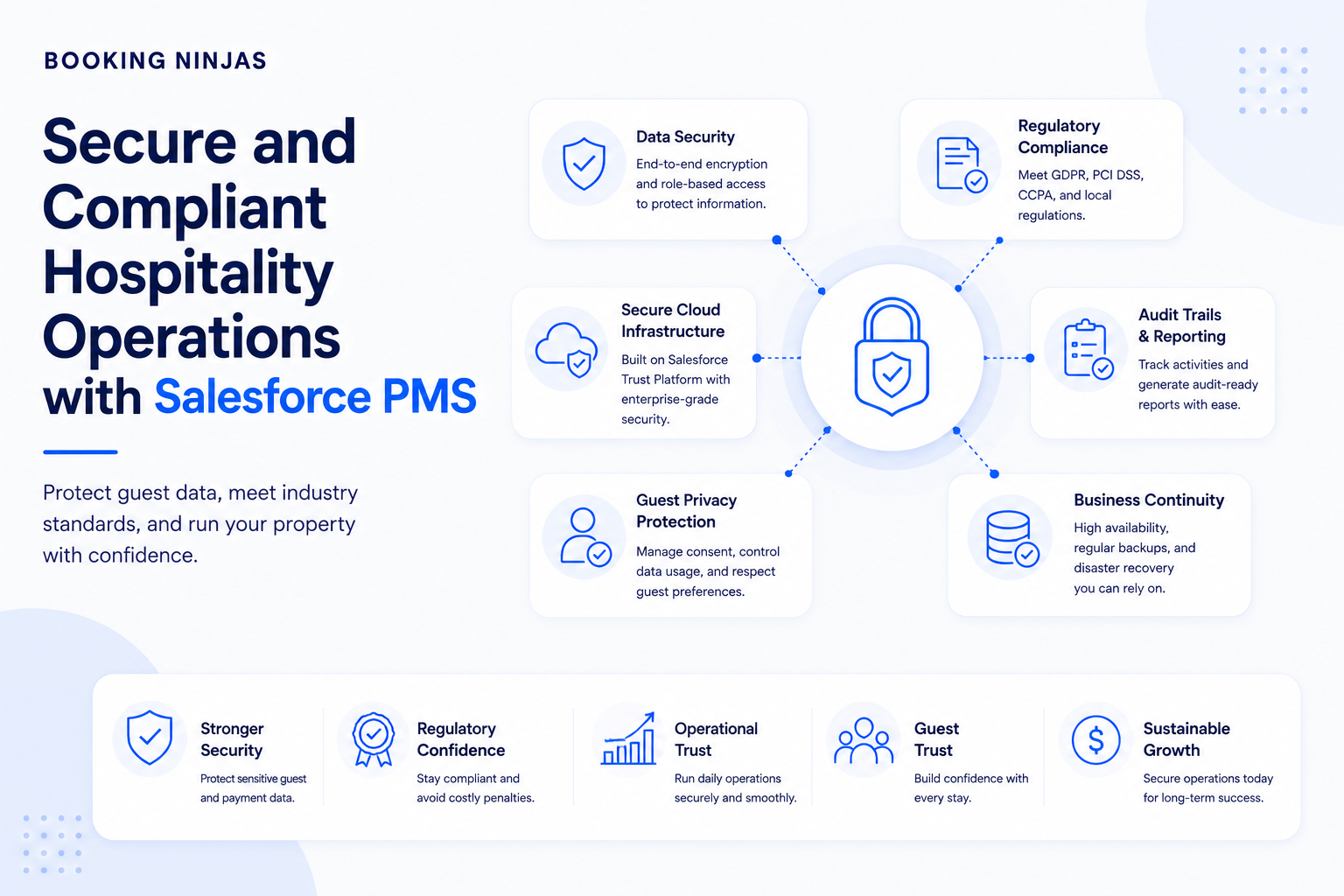
Payment transactions involve sensitive financial and customer information, so POS architecture should be reviewed together with payment processing, user permissions, integrations, devices, and organisational security controls.
Operators should understand:
- Which payment provider processes the transaction
- Which payment data enters each system
- Which users can perform financial actions
- How refunds and reversals are controlled
- Which transaction activity is logged
- How external gateways authenticate
- Which devices are part of the payment environment
- Which compliance requirements apply
Payment-card compliance should not be described as automatic simply because a POS or PMS has security functionality. The applicable requirements depend on the payment architecture, processor, systems, data flows, implementation, and organisational responsibilities.
Can a hospitality business keep an existing POS?
Yes. Replacing the existing POS is not always necessary.
A property may already have a restaurant, retail, spa, or specialist POS that serves its operational requirements well.
In that situation, the question becomes whether the necessary transaction, customer, financial, inventory, and booking context can move between the systems reliably.
Booking Ninjas supports external system connections through its Integrations layer.
The exact integration depends on the external POS, available APIs, authentication model, data ownership, required workflows, and implementation scope.
Should POS be native to the operating platform or integrated externally?
Either model can be appropriate.
| Approach | Potential advantage | What to evaluate |
|---|---|---|
| Native POS | Transactions can use the same broader customer, operational, financial, permission, and reporting foundation. | Whether the native POS meets the required transaction, hardware, payment, inventory, and service workflows. |
| External POS | Allows the business to retain a specialist or existing transaction platform. | API availability, data mapping, synchronisation, authentication, reconciliation, and ownership of records. |
The architectural objective is not to eliminate external systems at all costs. It is to avoid losing operational context when a transaction crosses system boundaries.
What should you define before implementing POS-PMS integration?
- Map the transaction types. Identify what the business sells across restaurants, spas, retail, activities, amenities, rentals, and other outlets.
- Define customer and booking relationships. Decide when a transaction needs to be connected to a guest, reservation, company, member, service, or other account.
- Design the payment flow. Determine when purchases are settled immediately, associated with an account, or handled through another billing workflow.
- Map inventory. Separate product inventory from reservable property inventory and define which events change each record.
- Define adjustments and exceptions. Establish authorisation rules for refunds, reversals, corrections, failed integrations, and manual intervention.
- Test end to end. Test the transaction from sale through payment, customer or booking association, inventory, reporting, and reconciliation before broad rollout.
How does Booking Ninjas connect POS with hospitality operations?
Booking Ninjas is a Salesforce-native platform for bookings and operations . Its Point of Sale capability operates inside the broader platform environment rather than existing only as a separate transaction database.
POS activity can therefore remain connected with relevant customer, booking, service, payment, inventory, location, reporting, and operational records according to the configured workflow.
The Hospitality environment adds the reservation and property context around those transactions, while external payment processors or specialist systems can remain part of the architecture where required.
Process transactions and connect sales with customers, services, inventory, payments, and operational records.
Explore Point of Sale →Connect transaction activity with billing, payment, adjustments, and financial workflows.
Explore Billing & Payment →Keep guest and booking context connected with dates, inventory, rates, and operational activity.
Explore Reservation Management →Analyse relevant transaction, customer, operational, and financial information.
Explore Insights →Connect external POS, payment, accounting, or other systems where the operating architecture requires them.
Explore Integrations →Connect transactions with the wider guest, booking, payment, property, and operational lifecycle.
Explore Hospitality →Frequently asked questions
What is a hospitality POS system?
A hospitality POS system records and processes transactions for products and services sold through restaurants, bars, spas, retail outlets, activities, amenities, and other hospitality revenue centres. It can also connect those transactions with relevant customer, booking, payment, inventory, and operational records.
What is the difference between a POS and a PMS?
A POS primarily handles sales and transaction activity, while a PMS manages reservations, stays, property inventory, guests, and related operations. Connecting them allows transaction data to retain the booking and operational context required by the property.
Can POS purchases be connected to a hotel guest or reservation?
Yes, where the POS and property-management workflow support the required relationship. Booking Ninjas can connect transactions to customers, bookings, services, and other operational records. The exact posting, payment, and settlement workflow depends on the property's configuration.
Does Booking Ninjas include point-of-sale functionality?
Yes. Booking Ninjas provides Salesforce-native Point of Sale functionality for payments, transaction linking, inventory, customer records, multi-location operations, refunds, reporting, and related workflows.
Can Booking Ninjas connect with an external POS or payment provider?
Booking Ninjas supports integrations with external systems. The exact connection depends on the external platform, available APIs, authentication model, required data flows, and implementation scope.
Does POS-PMS integration eliminate all manual reconciliation?
Not necessarily. Integration can reduce duplicate data entry and keep transaction records better connected, but reconciliation requirements still depend on payment providers, accounting processes, exceptions, external systems, configuration, and the organisation's financial controls.
Connect the sale to the hospitality operation
Bring transactions, customers, bookings, services, payments, inventory, reporting, and property operations into a clearer Salesforce-native operating environment.



-web.jpg)