
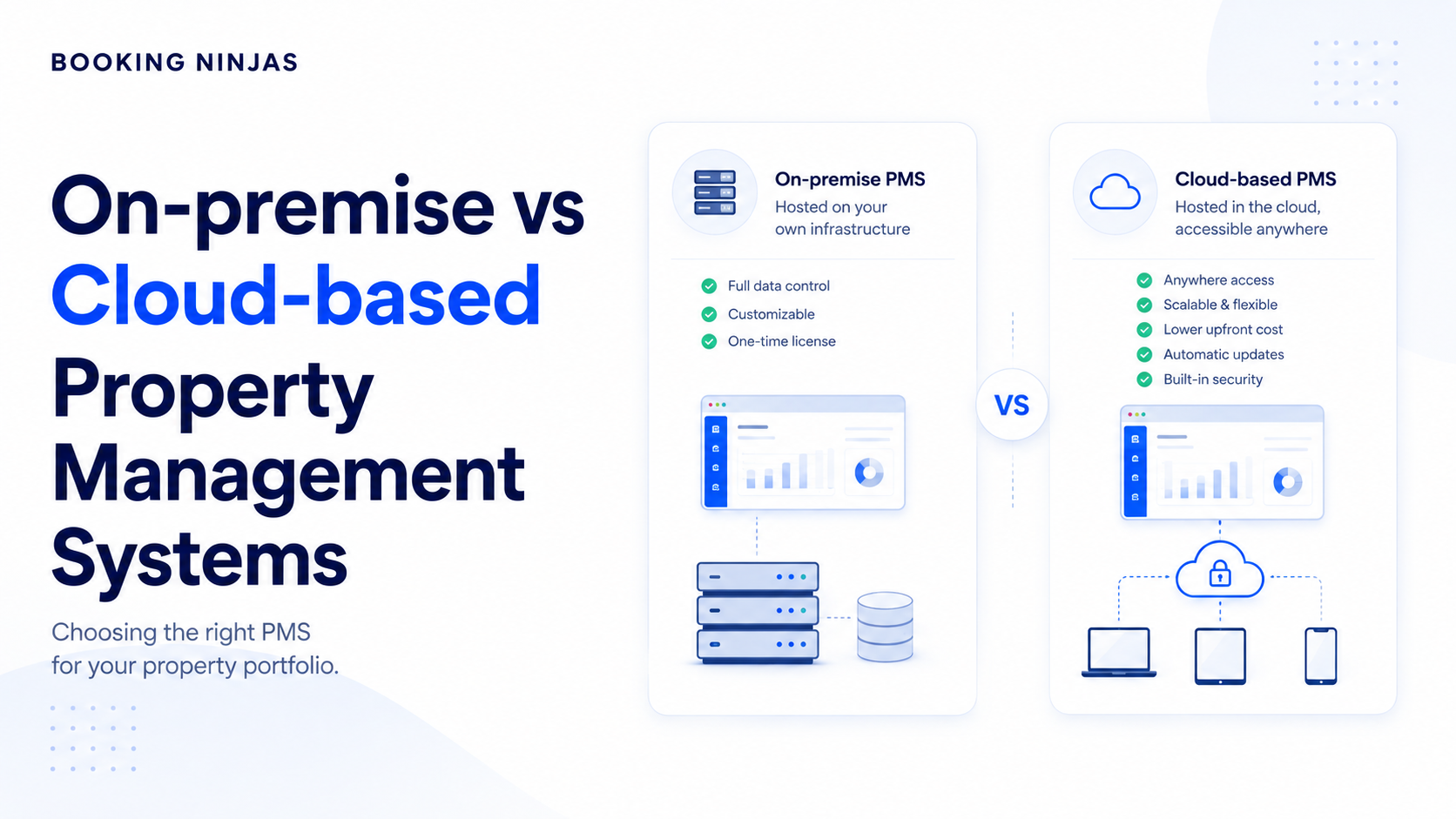
Choosing between on-premise and cloud operations software is mainly a decision about where the system runs, who is responsible for its infrastructure, how users access it, and how security, maintenance, integrations, recovery, and future changes will be managed.
What is the difference between on-premise and cloud software?
The main difference is where the software and supporting infrastructure are operated and who takes responsibility for maintaining them.
What is on-premise operations software?
On-premise software is deployed within infrastructure controlled by the organisation, such as servers in its own facilities or privately managed environment.
The organisation typically takes greater responsibility for areas such as:
- Server and infrastructure management
- Software installation
- Updates and patches
- Backups
- Network configuration
- Access controls
- Monitoring
- Disaster recovery
What is cloud operations software?
Cloud software is hosted in remote infrastructure and accessed over a network, usually the internet.
Depending on the service model, the software provider or cloud platform typically manages more of the underlying infrastructure, while the customer remains responsible for its users, data, configuration, business processes, and other areas defined by the service agreement.
What really changes between the two models?
The important difference is not simply where the server sits. It is how responsibility is divided.
| Area | On-premise | Cloud |
|---|---|---|
| Infrastructure | Managed primarily by the organisation. | More infrastructure responsibility sits with the provider. |
| Access | Often tied to an internal network or configured remote access. | Commonly designed for network-based access across locations. |
| Updates | Organisation typically manages deployment and maintenance. | Provider commonly manages platform or application updates. |
| Scaling | May require additional infrastructure planning. | Capacity can often be expanded through the service model. |
| Cost structure | Can involve infrastructure, licensing, IT, and maintenance costs. | Commonly uses recurring subscription or consumption-based pricing. |
| Control | Greater direct control over infrastructure. | Infrastructure responsibility is shared with the provider. |
Where do cloud and on-premise software differ most?
Who owns the infrastructure responsibility?
On-premise deployment gives the organisation more direct infrastructure control, but that control comes with responsibility for operating, monitoring, maintaining, and recovering the environment.
Cloud deployment shifts more infrastructure responsibility to the provider, but the customer still needs to understand what the provider manages and what remains the customer's responsibility.
How do users access the system?
Cloud systems are commonly designed for users who need access across offices, properties, locations, or devices.
On-premise environments can also support remote access, but doing so may require additional network, authentication, VPN, or other access infrastructure.
Who manages software updates and maintenance?
On-premise environments generally place more update and maintenance responsibility on the organisation or its technology partner.
Cloud providers generally handle more of the underlying platform maintenance and application-release process, depending on the service model.
How does scalability differ?
Scaling an on-premise environment may require capacity planning, additional infrastructure, configuration changes, or new hardware.
A cloud environment can often expand without the customer purchasing and installing the same physical infrastructure directly.
Is cloud or on-premise software more secure?
Neither deployment model is inherently secure simply because of where it is hosted.
Security depends on how the environment is designed, configured, monitored, maintained, and governed.
What security responsibility comes with on-premise software?
An organisation operating its own environment may have more direct control over:
- Network architecture
- Server configuration
- Access policies
- Patch schedules
- Backups
- Monitoring
- Physical infrastructure
The trade-off is that the organisation must have the expertise and processes to manage those areas effectively.
What security responsibility comes with cloud software?
Cloud deployments use a shared-responsibility model in which the provider manages defined parts of the environment while the customer remains responsible for areas such as user access, permissions, data handling, configuration, and business processes.
What should you evaluate instead of asking which model is safer?
Ask questions such as:
- How are users authenticated?
- How are permissions controlled?
- How is sensitive data protected?
- How are changes and access recorded?
- How are vulnerabilities and patches managed?
- How are backups and recovery handled?
- Which compliance requirements apply?
- Which responsibilities belong to the provider?
- Which responsibilities remain with your organisation?
What are the main advantages and limitations of cloud software?
Where can cloud software make operations easier?
Access across locations
Teams can commonly access the system from different properties, offices, or approved devices without operating the application solely from one local server environment.
Less local infrastructure
The organisation does not usually need to purchase and operate the same application infrastructure itself.
Centralised updates
The software or platform provider commonly manages more of the application update and infrastructure maintenance process.
Easier expansion
New users, properties, or operational processes may be added without building equivalent physical infrastructure at each location.
What limitations should you consider with cloud software?
- Dependence on network connectivity
- Recurring subscription or platform costs
- Dependence on a vendor's service and release model
- Data-location or regulatory requirements
- Limits defined by the platform architecture
- Migration and vendor-exit planning
Cloud software should therefore be evaluated as an operating model, not simply as software that happens to run on the internet.
What are the main advantages and limitations of on-premise software?
Where can on-premise software make sense?
Direct infrastructure control
Organisations can manage the infrastructure, network, deployment schedule, and local environment directly.
Specialised environments
Some organisations need highly specific infrastructure, network, data-location, or integration arrangements.
Local availability
Some local workflows may continue without dependence on external internet connectivity when the necessary systems remain available inside the local network.
Infrastructure customisation
Organisations with sufficient technical resources may design the environment closely around internal requirements.
What limitations should you consider with on-premise software?
- Infrastructure acquisition and maintenance
- Internal technical expertise
- Patch and update responsibility
- Backup and recovery responsibility
- Remote-access architecture
- Capacity planning
- Hardware lifecycle management
- Potentially slower infrastructure expansion
Is cloud software cheaper than on-premise software?
Not necessarily.
Comparing only the software licence or monthly subscription can give an incomplete picture.
What costs belong in an on-premise calculation?
Depending on the environment, total cost can include:
- Software licensing
- Servers and infrastructure
- Networking
- IT staff or support
- Security tooling
- Backups
- Disaster recovery
- Hardware replacement
- Updates and maintenance
What costs belong in a cloud calculation?
Depending on the service, total cost can include:
- Subscription or platform fees
- User licences
- Implementation
- Data storage
- Integrations
- Additional services
- Support
- Migration
- Future expansion
What is the better way to compare cost?
Compare the total cost of operating each model over a realistic period and include the people, infrastructure, support, migration, integration, and recovery responsibilities required by each one.
How should integrations affect the cloud vs on-premise decision?
Deployment architecture matters because operations software rarely works alone.
Which systems need to exchange data?
Depending on the organisation, operations software may need to connect with:
- CRM systems
- Accounting or ERP systems
- Payment platforms
- Access-control systems
- Communication tools
- Data warehouses
- Business-intelligence tools
- Identity providers
- Other operational applications
Does cloud software automatically integrate more easily?
No. Integration depends on APIs, data models, authentication, middleware, vendor support, network architecture, and the systems being connected.
Booking Ninjas provides an integrations framework for connecting operational workflows with external systems where the relevant integration is available and included in the implementation scope.
Why should data architecture be evaluated early?
A technically suitable system can still create operational problems if teams have to repeatedly export, import, reconcile, or re-enter information between disconnected systems.
This is closely related to the broader decision between one connected platform and multiple point solutions .
How should uptime and disaster recovery affect the decision?
What happens if the internet connection fails?
A cloud application typically requires network access. Operators should understand how critical workflows are handled during a connectivity problem and whether backup connectivity or other continuity procedures are needed.
What happens if local infrastructure fails?
An on-premise environment can continue operating independently of external internet access in some configurations, but the organisation remains responsible for failures affecting its servers, storage, network, power, and local environment.
Who is responsible for recovery?
Evaluate:
- Backup frequency
- Backup location
- Recovery procedures
- Redundancy
- Incident response
- Provider service commitments
- Internal business-continuity procedures
The goal is not to assume either deployment model eliminates downtime. The goal is to understand how downtime is prevented, detected, managed, and recovered from.
How should you choose between cloud and on-premise software?
Start with the operating requirements rather than a preference for one technology model.
1. Define where people need to work
Identify which users, properties, offices, and devices need access and whether remote work is part of the normal operating model.
2. Define your security and compliance responsibilities
Identify the data being handled, who should access it, applicable compliance requirements, and which controls your organisation must retain.
3. Assess your internal IT capacity
Determine whether your organisation has the people and processes needed to operate infrastructure, manage updates, monitor systems, maintain backups, and recover from failures.
4. Map the integration architecture
Identify the systems that must exchange information before choosing an application architecture.
5. Compare total cost of ownership
Include software, infrastructure, support, implementation, integrations, maintenance, people, migration, and future expansion.
6. Plan for growth
Consider what happens when the organisation adds more locations, users, records, business units, workflows, or integrations.
7. Plan the exit before choosing the platform
Understand how data can be exported, what integrations depend on the platform, how long migration could take, and what would happen if the organisation later changes systems.
Distributed access, provider-managed infrastructure, faster expansion, and reducing local infrastructure responsibility are important to the operating model.
Direct infrastructure ownership, specialised local architecture, or specific technical and regulatory requirements justify managing the environment internally.
What should you consider before moving from on-premise to cloud?
Moving to cloud software is not simply a matter of copying a database to another server.
Inventory the data first
Identify the records being migrated, their owners, formats, dependencies, quality issues, retention requirements, and sensitive information.
Map integrations and dependencies
Document which systems currently exchange information and which business processes depend on them.
Rebuild roles and permissions deliberately
Do not simply carry old access patterns into the new environment. Use the migration to confirm who needs access to which records and functions.
Test workflows before full rollout
Critical workflows should be tested with representative users and realistic data before the old environment is retired.
Prepare the team for the operating change
A new deployment model can affect sign-in, workflows, responsibilities, reporting, support, and daily procedures.
Our guide on preparing property teams for new software goes deeper into phased rollout, training, and adoption.
A practical migration sequence
Inventory data → map integrations → configure new environment → migrate and validate → test workflows → train users → controlled rollout → retire old environment when approved
How does Booking Ninjas fit into the cloud software decision?
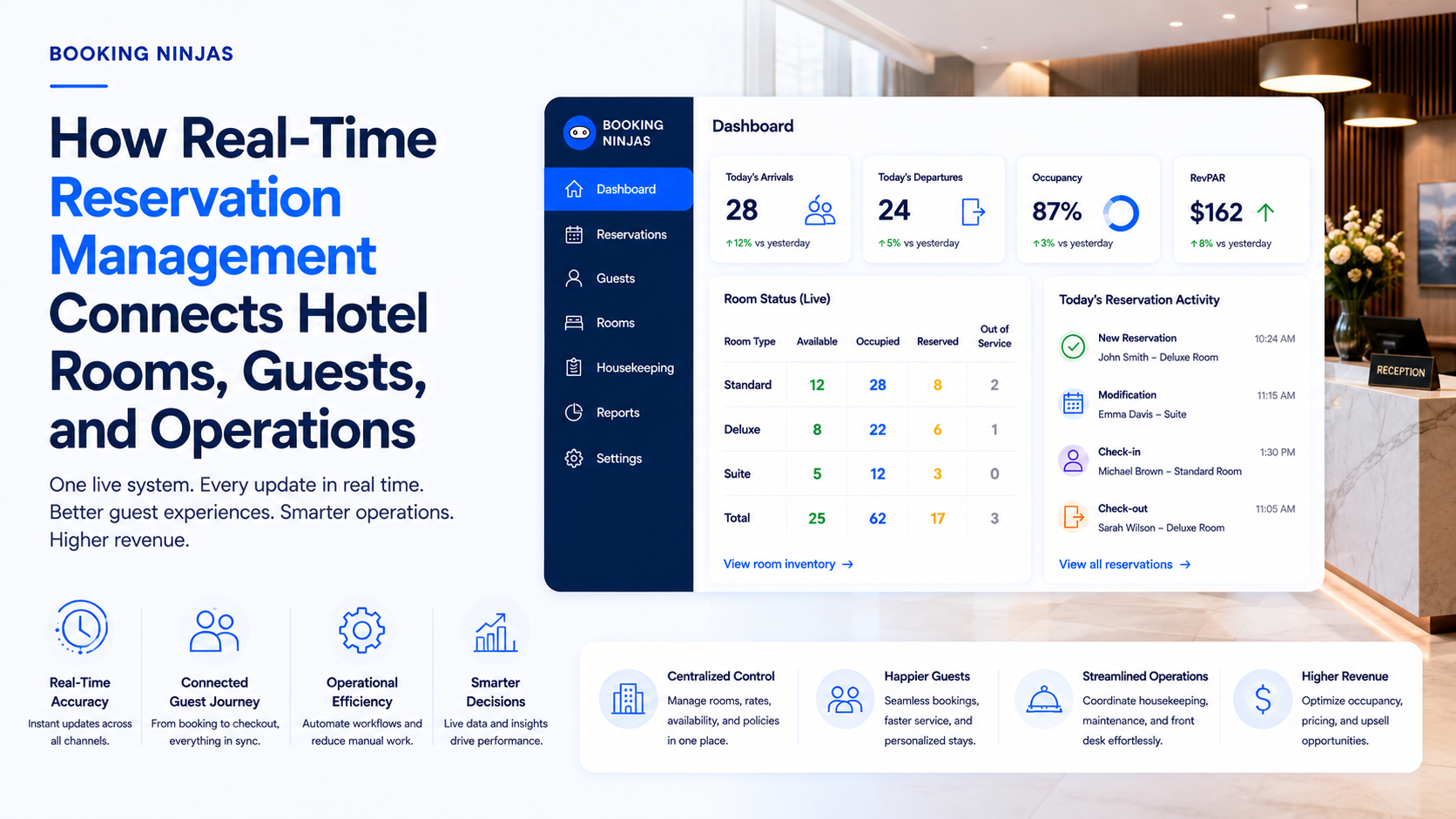
Booking Ninjas is a Salesforce-native platform for bookings and operations.
The platform is built around Salesforce
Rather than operating as an isolated local property application, Booking Ninjas runs within the broader Salesforce ecosystem.
The Salesforce-native foundation is relevant for organisations evaluating how operational applications fit into their wider CRM, data, security, workflow, and platform architecture.
Integrations remain part of the architecture
Moving operations to the cloud does not remove the need to connect existing systems.
Relevant integration capabilities can include API integration , identity systems, payment platforms, ERP systems, accounting systems, analytics tools, and other applications depending on the implementation.
Cloud does not mean one standard workflow for every organisation
The deployment model and the business workflow are separate decisions.
Booking Ninjas can be configured around different types of operational records, processes, users, permissions, and integrations, with the exact implementation determined by the organisation's requirements and scope.
The decision should still begin with business requirements
Organisations should evaluate Booking Ninjas the same way they should evaluate any operations platform: based on workflows, security, users, integrations, data requirements, implementation, support, and long-term operating model.
What does the cloud vs on-premise decision look like in practice?
Consider a property operator with several locations and a central operations team.
What would an on-premise model require?
The organisation might operate the application environment internally, manage server capacity, maintain backups, control software deployment, configure remote access, and provide internal technical support.
What would a cloud model change?
The provider would take responsibility for more of the underlying platform infrastructure while authorised users could access the application over the network.
The organisation would still need to manage users, permissions, business processes, data, integrations, training, governance, and its responsibilities under the service arrangement.
Which model should the operator choose?
The answer depends on whether the organisation gains more value from owning and operating the infrastructure itself or from shifting more infrastructure responsibility to a cloud platform.
Frequently asked questions
What is the main difference between cloud and on-premise software?
The main difference is where the software infrastructure is operated and how responsibility is divided. On-premise software generally places more infrastructure responsibility on the organisation, while cloud software places more of that responsibility with the provider.
Is cloud software always cheaper than on-premise software?
No. Cloud software may reduce some upfront infrastructure costs, but total cost depends on subscriptions, users, implementation, storage, integrations, support, and expansion. On-premise costs can include hardware, licensing, IT staff, maintenance, security, backups, and replacement infrastructure.
Is cloud software more secure than on-premise software?
Neither model is automatically more secure. Security depends on architecture, configuration, access controls, monitoring, maintenance, data handling, provider practices, and the organisation's own security processes.
Can on-premise software support remote work?
Yes. On-premise systems can support remote access, but the organisation may need to configure and maintain the networking, authentication, VPN, or other infrastructure required for secure access.
Does cloud software still require internal IT involvement?
It can. Cloud providers may manage more of the infrastructure, but organisations still need to manage areas such as users, permissions, integrations, data governance, business processes, vendor management, and support.
What should you check before moving from on-premise to cloud?
Review data, integrations, permissions, security requirements, network dependencies, migration procedures, testing, training, business continuity, and how the old environment will be retired after the new system is approved.
Is Booking Ninjas cloud-based?
Booking Ninjas is a Salesforce-native bookings and operations platform. The exact system architecture, integrations, permissions, workflows, and implementation depend on the organisation's requirements and agreed scope.
Choose the operating model before choosing the software
Start with your users, workflows, security requirements, integrations, data, IT capacity, and growth plans. Then decide which software architecture can support the operation you actually need.






_+The+Ultimate+Guide+(4).png)
