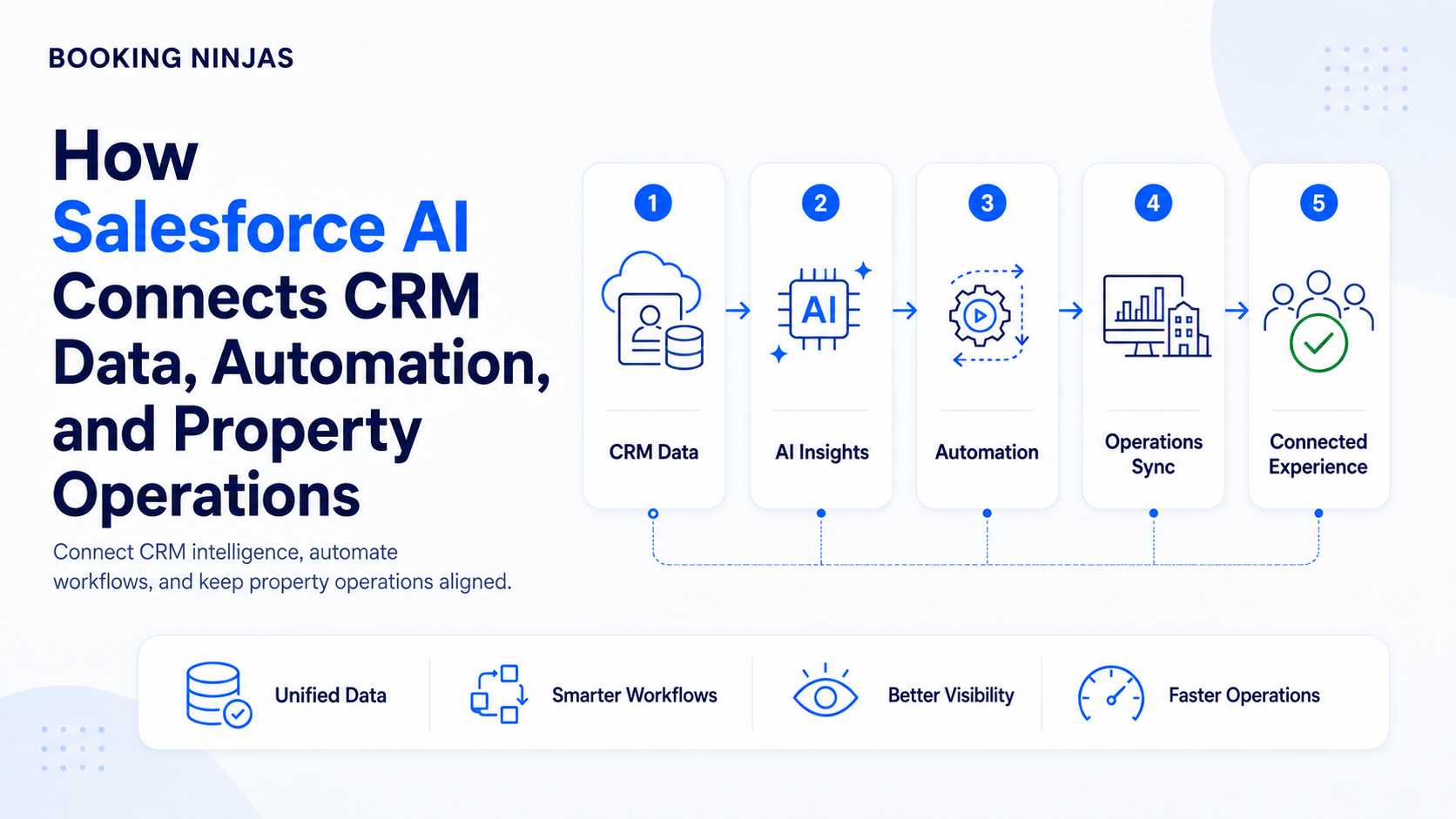
The value of Salesforce AI in property management does not come from adding AI to a CRM and expecting it to understand the operation. It comes from giving AI useful context around the customer, reservation, property, payment, request, and workflow involved.
The AI problem is often a data problem first
A property can have sophisticated AI and still get limited value from it if the important operational records are fragmented. Salesforce might know the customer, while another system knows the reservation, another holds the payment, and staff manage requests through email or spreadsheets.
In that environment, AI sees pieces of the operation rather than the relationship between them.
A stronger foundation connects customer records with reservations, availability, financial activity, requests, and workflows. AI can then analyse information with more of the business context intact.
How should AI fit into property operations?
A useful operating model has four layers.
Customer, booking, financial, service, and operational records provide the context.
AI summarises, compares, classifies, forecasts, or surfaces patterns.
People establish policies, thresholds, approvals, and exceptions.
Automation carries approved actions through the next operating steps.
This separation matters. AI should not be confused with workflow automation. AI can help interpret a situation; automation follows defined rules to do something about it.
What questions can AI help property teams answer?
Instead of asking where AI can be “added,” start with operational questions that already matter to the business.
| Business question | Data AI may need | Related capability |
|---|---|---|
| Which bookings deserve attention? | Reservation history, dates, status, availability, customer context, and exceptions. | Reservation Management |
| Why did operational performance change? | Booking, capacity, revenue, workflow, and historical performance data. | Insights |
| Which requests need attention first? | Request type, status, age, customer, property, urgency, and service history. | Request Management |
| Which financial records look unusual? | Charges, payments, balances, reconciliation records, account history, and exceptions. | Financial Reporting |
| What should happen next? | AI output plus business rules, ownership, approval requirements, and current workflow status. | Workflow & Process |
Property AI should mature in stages
Stage 1: Connect the operational record
Start by linking customers, bookings, payments, requests, resources, and other important records. Without this foundation, every later AI use case becomes harder to explain, govern, and maintain.
Stage 2: Use AI for interpretation
Summarisation, classification, pattern detection, forecasting, and prioritisation are useful places to begin because AI assists people without necessarily controlling the underlying process.
Stage 3: Connect insights to workflows
Once the business understands the AI output, define what should happen next. A high-priority request might create an assignment. A financial exception might require review. A booking anomaly might trigger an internal task.
Stage 4: Expand only where the process is proven
Broader automation should follow clear evidence that the data, decisions, permissions, and exception handling are working as intended.
Where should humans stay in control?
The answer depends on the consequence of a wrong decision. AI-supported summarisation may require little intervention, while pricing exceptions, financial decisions, sensitive customer issues, contractual actions, or permission changes may require explicit review.
- Define who owns each AI-supported decision
- Set thresholds for human approval
- Control which records the process can access
- Preserve a path for exceptions
- Review outputs against actual outcomes
- Adjust workflows as operating requirements change
This is where a Salesforce-native platform becomes relevant beyond CRM. Records, relationships, permissions, workflows, integrations, and operational applications can be designed within a broader platform governance model.
Why does architecture matter more as AI expands?
AI depends on access to data. That makes system architecture more important, not less.
Booking Ninjas is a Salesforce-native platform for bookings and operations. Instead of keeping CRM in Salesforce while every operational record lives in a separate property system, Booking Ninjas can bring booking and operational records onto the same underlying platform foundation.
This does not mean every external application should disappear. Accounting, ERP, payment, access, distribution, or other systems may remain necessary and connect through integrations.
Which parts of the operating platform support AI?
AI sits above several operational foundations. Each becomes useful for a different reason.
The broader AI layer for analysis, assistance, and AI-supported workflows.
Explore Booking Ninjas AI →Reservation and availability data provide important context around demand, inventory, and customer activity.
Explore Reservation Management →Requests and workflow records explain what teams are doing and what needs to happen next.
Explore Request Management →Billing, payments, balances, and reporting create financial context for monitoring and exception review.
Explore Financial Reporting →Reporting and analytical context help teams interpret changes rather than relying on isolated metrics.
Explore Insights →Data relationships, permissions, workflows, integrations, and applications form the underlying operating architecture.
Explore Salesforce DNA →What if Salesforce CRM and property operations are already separate?
Then the first AI decision may actually be an integration decision. You need to determine which system owns the customer, reservation, payment, and operational records, what information needs to move, and which workflows cross the system boundary.
Our guide to integrating an existing Salesforce CRM with a property management system explains the difference between maintaining an external PMS integration and moving property operations onto a Salesforce-native platform.
That architecture directly affects AI because it determines what context is available when the system needs to interpret an operational event.
Where should a property operator start?
Do not begin with “We need AI.” Begin with a repetitive decision, exception, or analytical question that already consumes staff attention.
Identify the records needed to understand it, define who owns the decision, determine what AI should assist with, and map what should happen afterwards.
Frequently asked questions
How can Salesforce AI help property operations?
Salesforce AI can support tasks such as summarisation, classification, forecasting, pattern detection, and prioritisation when relevant CRM and operational data is available. The useful application depends on the property's data, workflows, and operating requirements.
Does AI replace property workflow automation?
No. AI can help interpret information or support a decision. Workflow automation executes defined actions such as assigning work, updating records, requesting approval, sending notifications, or moving a process forward.
Does all operational data need to live in Salesforce?
No. External systems can remain part of the architecture. What matters is whether the required data can be connected with appropriate structure, permissions, relationships, and governance for the intended use case.
Why is Booking Ninjas' Salesforce-native architecture relevant to AI?
Booking Ninjas runs bookings and operations on the Salesforce platform, allowing customer, reservation, financial, workflow, and other operational records to share a broader platform foundation. This can give AI and automation more connected business context where the implementation supports it.
Build the operating foundation before expanding the AI
Connect customers, bookings, financial activity, requests, workflows, reporting, and integrations on a platform designed to keep evolving with the operation.