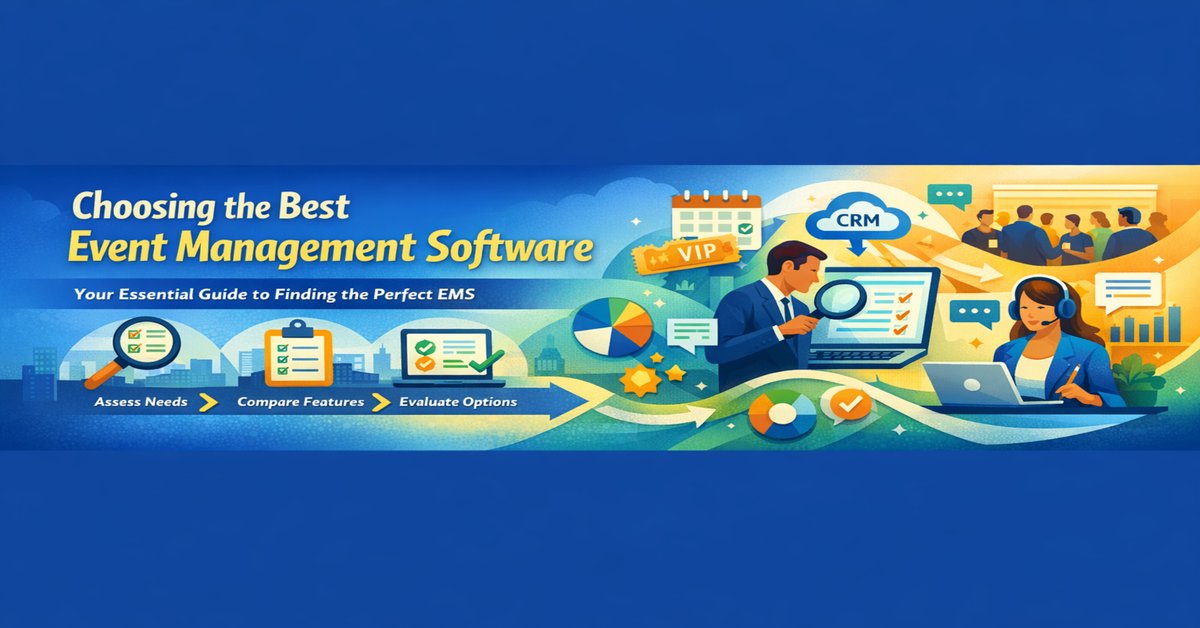

Is your business drowning in spreadsheets, clunky registration forms, and manual follow-ups for your events? You're not alone. The right event management software (EMS) can be a game-changer, automating tedious tasks, boosting attendee engagement, and providing invaluable data.
But with dozens of platforms promising the world, how do you choose the best event management software for your specific needs? This isn't a decision to take lightly. The wrong choice can cost you time, money, and valuable customer relationships.
This comprehensive guide will walk you through the essential steps and features to consider, turning a daunting EMS comparison into a straightforward decision-making process.
Step 1: Diagnose Your Business Needs (Before You Even Look at Software)
Jumping straight into feature lists is a common mistake. First, you must look inward.
- Event Types & Scale: Do you host small webinars, large multi-day conferences, or recurring workshops? Your software must scale with your ambitions.
- Team Size & Roles: How many people need access? Do you need different permission levels for marketing, sales, and operations?
- Pain Points: What are your biggest headaches? Is it low ticket sales, poor attendee communication, inefficient check-ins, or a lack of post-event data?
- Budget & Timeline: Be realistic about what you can invest. Remember to factor in implementation time and training costs.
Step 2: The Non-Negotiable Feature Checklist for Your EMS Comparison
Once you know your needs, evaluate platforms against this crucial checklist.
1. Seamless CRM Integration for Events
This is arguably the most critical feature for a growing business. Your EMS shouldn't be a siloed tool.
- Why it Matters: A platform with robust CRM integration for events ensures that every registration, engagement, and purchase is automatically logged against a contact profile. This allows your sales team to follow up with hot leads instantly and your marketing team to segment audiences for future campaigns based on actual event behavior.
- What to Look For: Native integrations with popular CRMs like Salesforce, HubSpot, or Zoho. Avoid platforms that rely on clunky, error-prone manual exports.
2. Flexible and Powerful Ticketing Options
Your ticketing system is your primary revenue driver and the first touchpoint for your attendees.
- Why it Matters: A limited ticketing system can cap your sales and frustrate potential attendees.
- What to Look For:
- Multiple ticket types (General Admission, VIP, Early Bird)
- Tiered pricing and capacity limits
- Waitlist management
- Secure payment gateways (Stripe, PayPal)
- Branded checkout pages
3. Robust Attendee Engagement & Communication Tools
An event is more than just a transaction; it's an experience.
- Why it Matters: Engaged attendees are more likely to convert, participate, and return for future events.
- What to Look For: Built-in email marketing, mobile event apps, agenda builders, live polling, Q&A sessions, and networking features.
4. Analytics and Reporting That Drive Decisions
Data is useless if you can't understand it.
- Why it Matters: Track ROI, understand attendee behavior, and prove the value of your events to stakeholders.
- What to Look For: Easy-to-understand dashboards showing ticket sales, attendance rates, revenue, and engagement metrics. The ability to create custom reports is a major plus.
5. Unbeatable Customer Support for EMS
When your event is live, there's no room for downtime.
- Why it Matters: Responsive and knowledgeable customer support for EMS can be the difference between a minor glitch and a full-blown crisis.
- What to Look For: Multiple support channels (live chat, phone, email), extended support hours, and a comprehensive knowledge base. Check online reviews to see what existing users say about their support experience.
Step 3: Practical Software Evaluation Tips
Now for the hands-on part. Your software evaluation tips for making a final choice:
- Take Advantage of Free Trials: Don't just watch a demo; get your hands dirty. Most platforms offer a 14-30 day trial. Use it to test the key features from your checklist.
- Create a Scorecard: Rate each platform (e.g., 1-5) on the criteria that matter most to you: ease of use, specific features, pricing, and quality of support.
- Ask for a Use-Case Demo: Request a demo where the sales team walks through your specific event scenario, not just a generic script.
- Check References and Reviews: Look at third-party sites like G2, Capterra, and Trustpilot for unbiased user reviews.
Spotlight: Is Booking Ninjas the Right Fit for Your Business?
While there are many great platforms, Booking Ninjas stands out for businesses that require a deeply integrated system, particularly those already using or planning to use Salesforce.
Booking Ninjas is an all-in-one property and event management platform built natively on the Salesforce platform. This makes it a powerful contender if your needs extend beyond standalone events.
Key Strengths of Booking Ninjas:
- Unmatched Salesforce Integration: As a native Salesforce application, it offers seamless CRM integration for events. All event data—from lead source to post-event feedback—lives directly in your Salesforce org, providing a 360-degree customer view.
- Comprehensive Suite: It goes beyond traditional EMS, combining event management with venue booking, resource scheduling, and membership management. This is ideal for hotels, co-working spaces, and multi-venue businesses.
- Automation Power: Leverage the full power of Salesforce workflows and automation to trigger emails, create tasks for your team, and update lead scores based on event activity.
Consider Booking Ninjas if:
- Your business already runs on Salesforce.
- You manage physical spaces or venues alongside events.
- You need a deeply integrated system that unifies sales, marketing, and operations.
Conclusion: Your Path to Event Success Starts with the Right Tool
Choosing the best event management software is a strategic investment. By thoroughly assessing your needs, rigorously comparing features—especially CRM integration for events and ticketing options—and following practical software evaluation tips, you can select a platform that doesn't just manage your events but accelerates your business growth.
Remember, the goal is to find a partner that makes your life easier and your events more successful. Take your time, test the platforms, and choose the one that feels right for your team and your vision.
Ready to see how a fully integrated platform can transform your event strategy? Explore the power of Booking Ninjas and discover a solution built for growth.


_-_A_Complete_Guide.png)


%2Bfor%2BHotel%2BChains-web.jpg)