
Space Planning
Organize rooms and bookable spaces around layout, capacity, availability, occupancy, and the reservations connected to them.
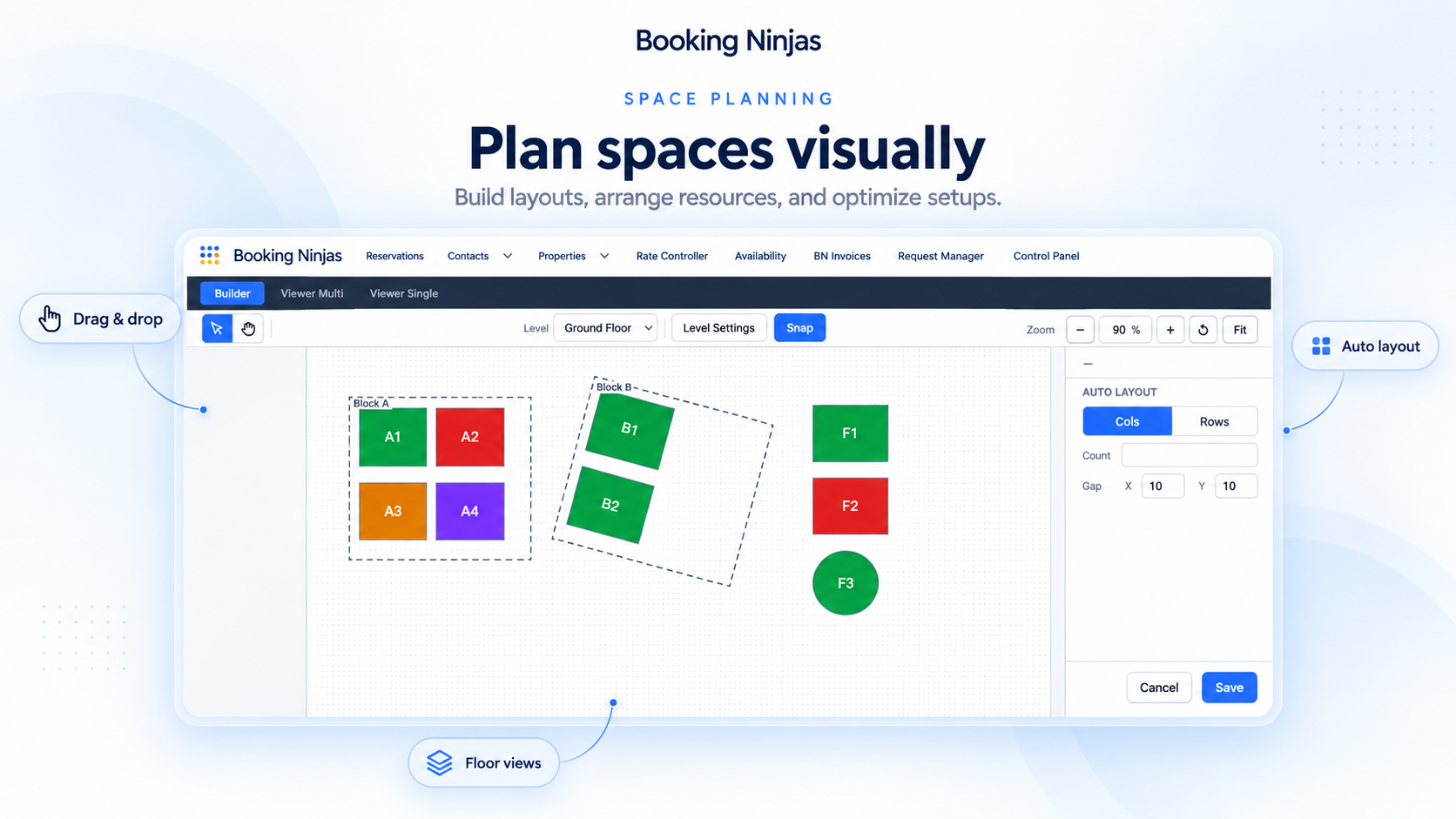
Keep Space Records Structured
Store the key details that define how a room, area, or other bookable space can be used.

Space Record
Keep the room, space, or unit connected to the property or location.
Capacity
Store the configured booking limits used by the space.
Availability
Control when the space can be offered for booking.
Layout Context
Use Layout Builder or map-based booking where the implementation needs a visual space view.
Use Booking Data to Understand the Space
Space planning becomes more useful when it stays connected to reservations and day-to-day usage.

Reserved
See when a room or space is already committed to a reservation.

Available
Compare booked periods with the availability rules configured for the space.
Occupied
Use reservation and configured status data to understand how the space is being used.
Reported
Use standard Salesforce reports and dashboards to review captured booking and occupancy data.
Support Different Space Configurations
The same space can be configured around the way the organization actually books and operates it.
- Meeting rooms and conference rooms
- Event and banquet spaces
- Coworking rooms and shared areas
- Retreat meeting and activity spaces
- Student or residential common spaces
- Other supported bookable areas and layouts
Works With the Booking Flow
Space Planning stays connected to the tools that define how a room or space can be booked and used.
Occupancy Management
Use booking and status data to understand how spaces are being used.
View Occupancy Management →Resource Scheduling
Schedule supported rooms, desks, venues, and other bookable resources.
View Resource Scheduling →Space Planning Across Booking Ninjas Solutions
See how the same space, capacity, availability, and layout foundation supports different types of operations.
Coworking Space
Organize desks, meeting rooms, and shared areas around member bookings.
View Coworking Solution →Conference Center
Plan meeting rooms and event spaces around capacity, timing, and reservation demand.
View Conference Center Solution →Banquet Hall
Keep event-space layouts, booking limits, and reservations connected.
View Banquet Hall Solution →Retreat Center
Coordinate accommodations, meeting rooms, activity areas, and shared spaces.
View Retreat Center Solution →Student Housing
Organize common rooms and other bookable residential spaces around resident use.
View Student Housing Solution →Hotel
Keep guest rooms and other bookable property spaces organized in one booking workflow.
View Hotel Solution →Space Planning Is Not CAD, BIM, or Workplace Strategy Software
Booking Ninjas focuses on bookable spaces and the operational records connected to them. Detailed architectural design, CAD/BIM, sensor-based occupancy, workplace workforce planning, energy management, and enterprise facilities planning require separate systems or integrations.
Verified in the Salesforce Ecosystem.
Booking Ninjas is listed on Salesforce AppExchange.
Pricing
Space Planning uses the Booking Ninjas booking and property foundation. The exact setup depends on the spaces, layouts, and booking rules.
Core Package
Starts with 1–50 Active Bookable Units.
- Booking Engine + Reservation System
- Availability Management
- Capacity Management
- Property Management
- Layout Builder / map-based booking
- Standard reports and dashboards
Space & Layout Setup
Scoped as neededImplementation depends on the space hierarchy, layouts, capacities, availability, resource rules, map/floorplan requirements, integrations, testing, and rollout.
- No separate public Space Planning SKU shown here
- Complex layouts may require configuration
- Sensor or building-system data requires integration
- Third-party systems and implementation remain separate
Spreadsheet Space Planning vs Booking Ninjas
Keep space details connected to bookings, availability, capacity, and reporting.
| Capability | Spreadsheet / Separate Plan | Booking Ninjas |
|---|---|---|
| Space record | Separate list | Connected property record |
| Availability | Manual calendar | Connected booking rules |
| Capacity | Manual reference | Configured booking limits |
| Occupancy context | Manual roll-up | Connected reservation data |
| Layout / map | Separate diagram | Layout Builder where configured |
| Reporting | Manual analysis | Salesforce reports and dashboards |
Frequently Asked Questions

Keep Space Planning Connected to Bookings
Organize layouts, availability, capacity, occupancy context, and reservations in the same Booking Ninjas workflow.