Asset Identity
Asset ID, serial number, barcode or QR reference, category, and status.

Track where assets are, who has them, and how they move across teams and locations. Keep assignments, check-ins, status, and movement history connected in Salesforce.
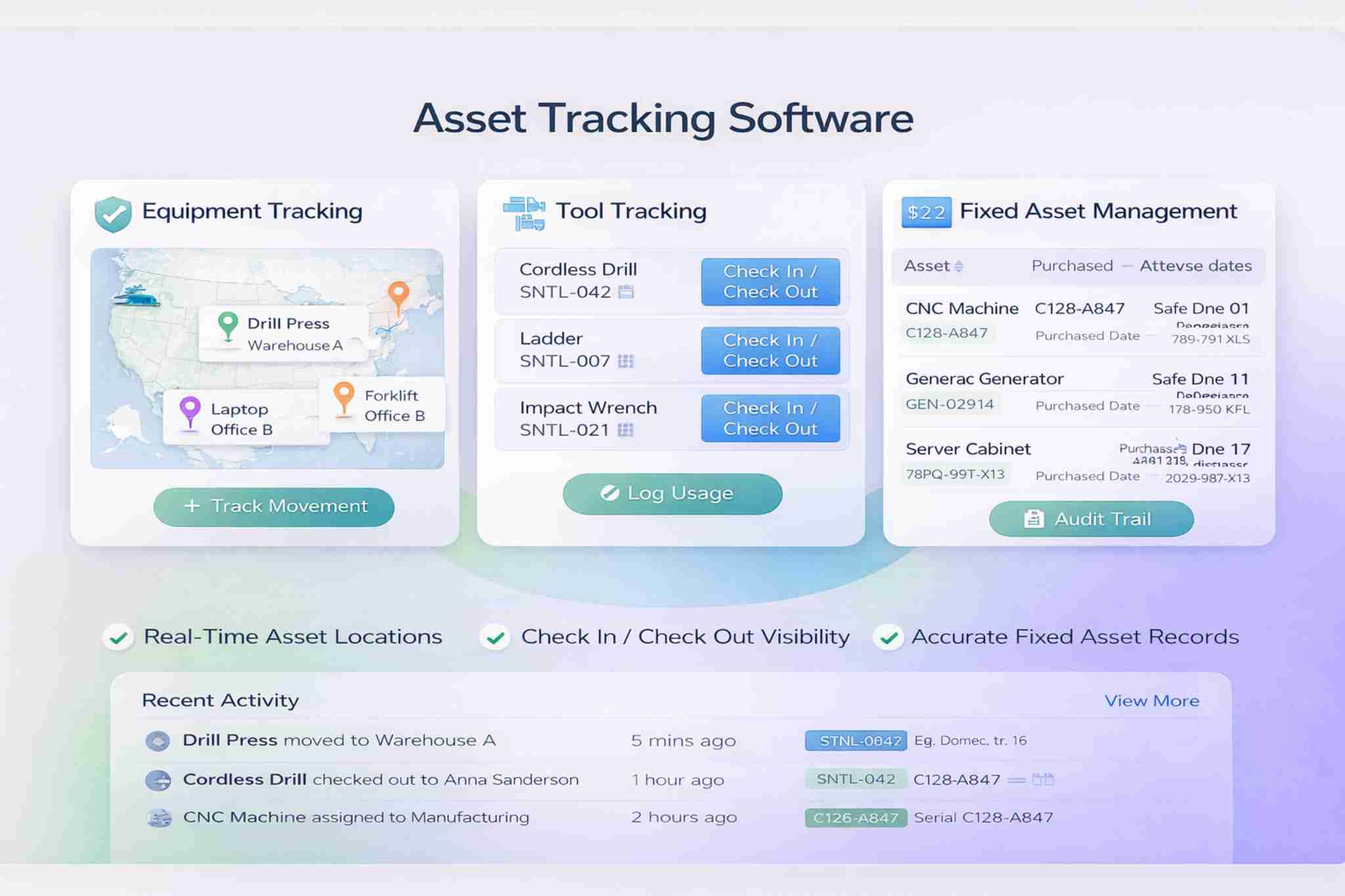
Each asset can stay linked to its ID, status, location, department, employee or team, and movement history.
Location visibility depends on how the record is updated. Barcode, QR, RFID, GPS, telematics, or IoT data requires the relevant integration.
Keep the key tracking details for every asset in one record.
Asset ID, serial number, barcode or QR reference, category, and status.
Property, facility, department, site, or current assigned location.
Responsible department, employee, team, custodian, or assignee.
Assignments, transfers, check-outs, returns, and status changes over time.
See who has a tool, when it was issued, and when it should come back.
Record issue, return, expected return date, and current status.
Assign tools to employees, teams, departments, or custodians.
Record missing, damaged, returned, or under-maintenance status.
Keep operational asset details aligned with the systems used for financial records.
Track equipment, infrastructure, and other long-term managed assets.
Keep purchase date, original cost, and ownership context with the asset.
Store useful depreciation fields or connect the accounting system when it remains the financial source of truth.
Keep department, location, custodian, and transfer history with the asset.
See how assets move between people, departments, and locations.
“Real-time” tracking depends on the data source. Manual updates, barcode scans, QR scans, RFID, GPS, telematics, and IoT systems can provide different levels of location detail and update frequency.
Use ownership and movement history to make missing or underused assets easier to investigate.
Flag assets recorded as missing or overdue for return.
Review repeated loss or damage by asset, team, or location.
See the current assignee, custodian, department, or owning team.
Review which assets are active, idle, shared, or underused.
Tracking can improve accountability and purchasing decisions, but it does not guarantee that loss, theft, or duplicate purchases will be prevented.
Keep asset visibility consistent across sites, departments, and regions.
Connect tracking records to the same users, permissions, workflows, and reports used across Booking Ninjas.
Connect assignments, transfers, status, and follow-up work to the asset record.
Control who can view, assign, transfer, or update assets.
Keep assignment, movement, and status history in one operating record.
Report on asset status, location, ownership, movement, and utilization.
Add AI separately when enough tracking and usage history exists to support useful analysis.
Surface assets with low recorded use for staff review.
Review unusual or recurring movement across teams or locations.
Use historical asset usage to support future demand planning.
Compare recorded demand with how assets are distributed.
AI is not included in the standard Asset Tracking subscription. Analysis quality depends on the tracking history, data quality, configuration, and model used.
Use Asset Tracking wherever tools, equipment, or fixed assets move across people or locations.
Keep each movement connected to the same asset record.
Create the asset ID, category, status, and core record.
Link the asset to a user, team, department, or location.
Record check-outs, transfers, returns, or status changes.
Review current status, location, ownership, and usage.
Use tracking history for accountability and planning.
Connect tracking with lifecycle, condition, risk, and maintenance records when you need a broader asset-management workflow.
Pricing includes a one-time implementation fee and a recurring subscription based mainly on managed assets.
One-time implementation
Implementation depends on your asset structure, locations, departments, workflows, data, integrations, security, testing, training, and rollout.
Recurring subscription
Covers continued access, updates, support, and operation within the contracted managed-asset tier.
Primary driver: managed assets. Additional drivers include managed locations, facilities, departments, asset categories, migration, integrations, security, testing, training, service levels, and environment requirements.
Barcode or QR integrations, RFID, GPS, telematics, IoT or sensors, external accounting/ERP systems, hardware, third-party fees, AI add-ons, new integrations, and custom development outside the approved scope are separate.
Compare spreadsheets, Booking Ninjas, and a standalone asset-tracking tool.
| Capability | Spreadsheet / Manual Register |


|
Standalone Asset Tracking Tool |
|---|---|---|---|
| Asset record | Manual rows and files | Salesforce-connected asset record | Tool-specific asset record |
| Assignments | Manual updates | Users, teams, departments & locations | Usually supported |
| Check in / check out | Manual logs | Structured issue & return history | Common capability |
| Movement history | Separate logs | Connected assignment & transfer history | Usually supported |
| Barcode / RFID / GPS | Manual or separate | Connect through supported integrations | Often a core strength |
| Operational workflows | Manual follow-up | Salesforce tasks, permissions & workflows | Depends on platform |
| AI / utilization analysis | Limited | Optional add-on | Depends on vendor |
| Best fit | Small, simple asset lists | Asset tracking inside broader Salesforce operations | Dedicated tracking programs |

Choose the tools and equipment you need to track first. Then define the IDs, locations, assignments, movement rules, and reports around them.
WhatsApp Us
WhatsApp Us