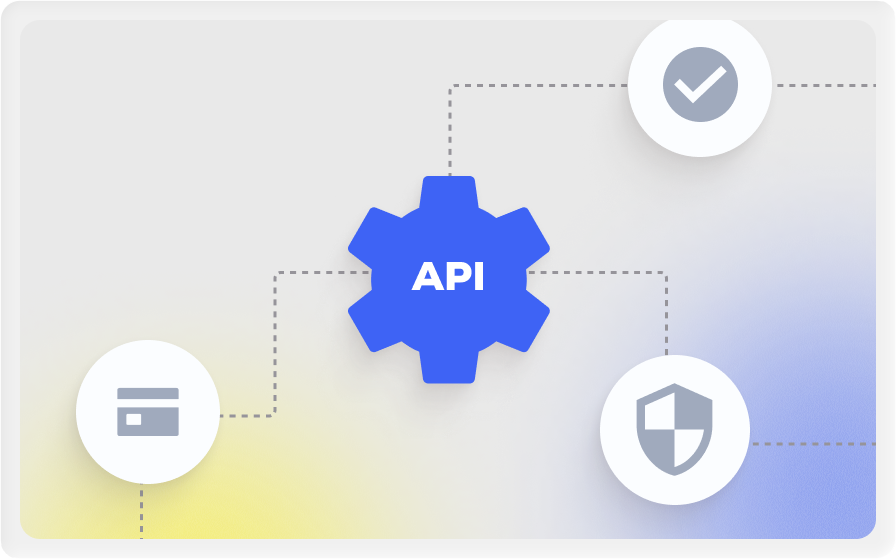
API Integration on Salesforce

Connect Booking Ninjas with accounting, payments, CRM, access, IoT, analytics, and other supported systems. Use APIs, webhooks, or middleware to move the right data between platforms.

API Integration Dashboard

Booking Ninjas Connects Workflows. External Systems Can Stay in Place.

Booking Ninjas remains the operating platform for property and workflow records. Accounting, payments, access, IoT, CRM, marketing, analytics, or other systems can continue doing their specialized jobs.

Each integration defines what data moves, which system owns it, the direction and timing of synchronization, what actions should follow, and how errors are handled.

Built on Salesforce. Connect the Systems You Already Use.

Booking Ninjas can use Salesforce APIs, webhooks, and middleware to exchange approved data with external systems. The exact connection depends on the systems, APIs, permissions, and workflow scope.

Connect External Systems

Connect supported accounting, payment, IoT, CRM, analytics, and other external systems through APIs or middleware.

Sync Data Between Systems

Exchange approved data between systems using scheduled, near-real-time, or event-driven synchronization based on the integration design.

Trigger Cross-System Workflows

Use defined events or workflow rules to trigger actions across connected systems.

Connect Operational & Financial Data

Connect operational and financial records using defined mappings, source-of-truth rules, and reconciliation controls.

REST API Integration

Use Salesforce REST APIs to exchange approved records with external applications. Data access, authentication, fields, direction, and frequency are defined per integration.

Exchange Core Records

Exchange selected tenant, lease, property, booking, billing, or other records through configured endpoints.

Sync Transactions

Move selected financial or operational transactions between systems using defined mappings and validation rules.

Trigger External Updates

Send updates to connected systems when defined events or workflow conditions occur.

Feed Reporting & BI Tools

Send approved data to analytics or BI tools using the connection method and refresh frequency included in scope.

Webhook Integration for Event-Driven Workflows

Use webhooks when a connected system needs to notify Booking Ninjas—or receive a notification—after a defined event.

Send Lease Event Updates

Notify connected systems when configured lease events occur.

Send Payment Events

Notify accounting, reporting, or other connected systems when selected payment events occur.

Send Maintenance Status Changes

Send selected maintenance status changes to connected tools or operational systems.

Start Downstream Workflows

Start approved follow-on workflows when configured events are received.

Connect Your Property Management Technology Stack

Connect the systems used around your Booking Ninjas environment without forcing every tool into one platform. Each integration is scoped around the records, direction, frequency, actions, and ownership rules that matter.

Common Integration Areas

Connect the systems that support finance, payments, CRM, access, IoT, and reporting.

01

Accounting Integration

Connect accounting platforms for selected financial data, transactions, and reporting workflows.

02

Payment System Sync

Connect payment processors to support collections, settlement records, and reconciliation workflows.

03

CRM and Marketing Alignment

Connect CRM or marketing platforms to share approved customer, lead, communication, or lifecycle data.

04

Access Control and IoT

Connect supported access-control, smart-device, or IoT systems when operational events need to move between platforms.

05

Reporting and Analytics Feeds

Send structured data to BI or analytics platforms using the refresh method included in the integration scope.

06

Scalable Integration Architecture

Add or revise integrations as systems, portfolios, and workflows change.

Choose the Right Integration Pattern

Different systems need different connection patterns. Use REST APIs, webhooks, middleware, or event-driven workflows based on what each platform supports.

icon

REST-Based Integrations

Use REST APIs for request-based data exchange when the connected system supports them.

icon

Webhook-Driven Automation

Use webhooks for event-driven notifications when supported by the connected system.

icon

Middleware Orchestration

Use middleware when multiple systems, transformations, or orchestration steps are involved.

icon

Event-Driven Architecture

Use event-driven patterns when workflows need to respond to defined system events.

icon

Multi-System Data Synchronization

Use mappings, validation, conflict rules, and source ownership to control multi-system synchronization.

icon

Future-Ready Integration Strategy

Start with one connection and expand the integration architecture as operational needs grow.

Keep Connected Systems Aligned

Use events and synchronization rules to keep connected systems updated according to the timing and direction defined for each integration.

Example Cross-System Events

What happens depends on the systems and workflow rules connected.

01

Lease Executed

Send selected lease or tenant updates to connected CRM or lifecycle workflows.

02

Payment Received

Send selected payment events or transaction details to connected accounting workflows.

03

Maintenance Completed

Send maintenance status changes to connected operational or reporting systems.

04

Tenant Onboarded

Notify supported access or onboarding systems when configured onboarding events occur.

Scale Integration Scope as Operations Grow

Expand integrations by property, business unit, workflow, or system without assuming every connection needs the same data or timing.

  • Multi-property data exchange where required
  • Multi-entity reporting feeds
  • Cross-system workflow triggers
  • Integration patterns that can expand over time
  • Centralized visibility into connected workflows
  • Defined synchronization rules by system
  • Portfolio reporting feeds where supported
  • Add new systems without replacing the full stack
  • Support for multi-entity operating structures
  • API architecture designed for ongoing change

Why Booking Ninjas

Salesforce provides the API and security foundation. Booking Ninjas adds the property and operational workflows that determine what data should move and what happens next.

Integration add-on

API Integration Pricing

Add a custom system connection to your current Booking Ninjas plan. Pricing depends on the systems, APIs, data mappings, sync direction, frequency, actions, monitoring, and maintenance required.

Complex integration scope

Multi-System & Custom Integration

Pricing Custom after review

For multiple systems, middleware, bidirectional sync, high-volume transactions, custom actions, complex transformations, or stricter monitoring requirements.

  • Multiple external systems
  • Middleware or orchestration
  • Complex data transformation or conflict handling
  • Higher-volume monitoring and support requirements
One-time implementation fee Discussed based on scope

We review APIs, authentication, fields, mappings, source ownership, sync direction and frequency, actions, error handling, testing, monitoring, and launch requirements.

Learn why?

Third-party API or vendor fees, middleware, Salesforce products or licenses, external infrastructure, data migration, custom development beyond the agreed integration, and enhanced support are not implied as included.

How Booking Ninjas Approaches API Integration

Compare manual data transfer, Booking Ninjas integration workflows, and a standalone middleware or integration platform.

Capability Manual / File Transfer Standalone Middleware
Data exchange Manual or scheduled files APIs, webhooks, or middleware Strong integration tooling
Property context Handled manually Connected to Booking Ninjas records Requires mapping to business systems
Workflow actions Separate manual steps Can trigger Booking Ninjas workflows Orchestrated outside the core app
Source ownership Often unclear Defined per integration Defined in integration design
Monitoring Manual review Scoped to the connected workflow Centralized integration monitoring
Expansion Add more manual processes Add connections around the same operating platform Add more flows and connectors

Frequently Asked Questions

What is API integration in property management?

API integration allows a property management platform to exchange selected data with external systems. This can reduce duplicate entry when the required APIs, mappings, and workflow rules are available.

Does Booking Ninjas support Salesforce API integration?

Yes. Booking Ninjas can use Salesforce APIs, including REST-based connections and event-driven patterns such as webhooks, depending on the systems and scope involved.

What is REST API integration?

REST API integration uses standardized HTTP requests to exchange data between systems. Authentication, fields, permissions, direction, and refresh frequency are defined per integration.

What is webhook integration?

Webhook integration lets one system notify another after a defined event. The receiving workflow can then process that event according to configured rules.

Can Booking Ninjas integrate with other software platforms?

Yes, when the external system provides a supported integration path. Common examples include accounting, payments, CRM, marketing, access, IoT, analytics, and other operational systems.

Is API integration secure?

API security depends on the connected systems and implementation. Typical controls include authentication, encrypted transport, permissions, credential management, logging, and monitoring.

How much does Booking Ninjas API Integration cost?

API Integration starts from $750 per month on top of the current Booking Ninjas plan when the connection is outside the integrations already included in the selected setup. Complex multi-system or middleware integrations are priced after scope review.

Is every integration real-time?

No. Some integrations are event-driven, some use near-real-time synchronization, and others run on a schedule. The timing depends on the connected system, API limits, data volume, and workflow requirements.

Does Booking Ninjas replace middleware or iPaaS?

Not necessarily. Direct API or webhook connections may be enough for simpler integrations. Middleware or iPaaS can remain part of the architecture when multiple systems, transformations, routing rules, or orchestration requirements make it useful.

Why is API implementation scoped separately?

Implementation depends on the systems, APIs, authentication, mappings, source ownership, sync direction and frequency, actions, error handling, testing, monitoring, and launch requirements. Learn why implementation is discussed before a final price .

Start With the Integration That Removes the Most Duplicate Work

Choose the accounting, payments, CRM, access, IoT, analytics, or other system that needs to exchange data with Booking Ninjas. Then define the records, direction, timing, actions, and controls around it.

WhatsApp Us

WhatsApp Us