
Self-Service Kiosk
Let guests complete selected arrival steps on a kiosk while keeping the reservation, guest record, and check-in status connected in Booking Ninjas.
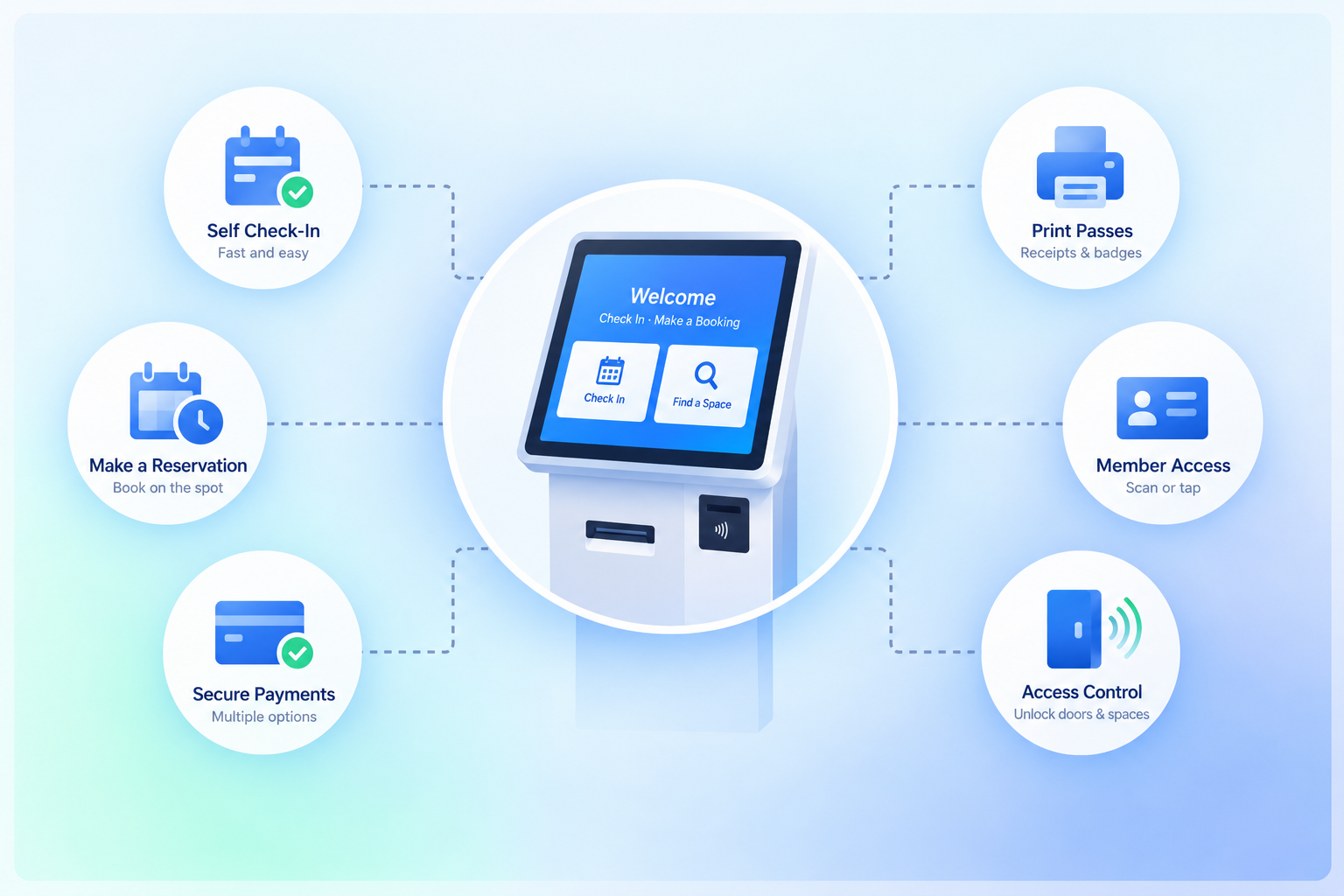
Give Guests a Faster Arrival Option
Use the kiosk for the parts of check-in that make sense for the property and keep staff available for exceptions or assistance.

Reservation Lookup
Find the guest's reservation using the configured lookup flow.
Guest Details
Review or update selected contact and arrival information where allowed.
Check-In Status
Update the reservation when the configured arrival steps are complete.
Staff Handoff
Route exceptions or additional steps back to staff when needed.
Configure the Check-In Flow
The kiosk can follow the arrival steps defined for the property or booking type.

Find the Reservation
Use the configured lookup method to retrieve the correct booking.

Complete Required Steps
Collect the guest information, acknowledgments, payment status, or other fields required by the workflow.
Update the Reservation
Record the configured check-in status and keep it connected to the booking.
Continue the Operation
Trigger room-readiness, staff, communication, or access steps where they are part of the implementation.
Works With the Booking Flow
The kiosk stays connected to the reservation and the operational tools around arrival.
Check-In / Check-Out
Keep kiosk arrival status connected to the reservation workflow.
View Check-In / Check-Out →Reservation Management
Keep guest, booking, dates, status, and changes together.
View Reservation Management →Housekeeping
Connect room readiness and cleaning work to arrival where configured.
View Housekeeping →Door Lock Management
Connect supported door-access workflows when the property uses them.
View Door Lock Management →Where Self-Service Kiosk Fits
Use kiosks where guests or residents benefit from completing selected arrival steps independently.
-
Hotel
Offer an additional guest arrival option alongside the front desk.
-
Resort
Support guest arrivals across larger properties and multiple service points.
-
Hostel
Reduce repetitive front-desk work during frequent guest arrivals.
-
Motel
Support straightforward arrival workflows for high-turnover stays.
-
Lodge
Give guests a simple arrival option when staffing or reception hours vary.
-
Vacation Rental
Support selected self-service arrival steps before or during the stay.
Kiosk Scope Depends on the Arrival Workflow
Booking Ninjas can support a self-service interface connected to reservation and check-in records. Identity verification, ID scanning, payment terminals, key-card equipment, printers, accessibility hardware, specialized healthcare intake, or other kiosk devices require supported third-party systems or separate implementation scope.
Verified in the Salesforce Ecosystem.
Booking Ninjas is listed on Salesforce AppExchange.
Pricing
Self-Service Kiosk uses the Booking Ninjas booking foundation. Kiosk setup and hardware depend on the implementation.
Core Package
Starts with 1–50 Active Bookable Units.
- Booking Engine + Reservation System
- Reservation Management
- Front Desk Operations
- Check-In / Check-Out
- Standard reports and dashboards
Door Lock Management
Use when supported door-access workflows are part of the self-service arrival process.
- Supported lock environment required
- Hardware and vendor costs remain separate
- Kiosk devices are separate from BN subscription pricing
- Implementation is scoped separately
Manual Front Desk Check-In vs Self-Service Kiosk
Give guests another way to complete selected arrival steps while keeping the booking record connected.
| Capability | Manual Front Desk | Booking Ninjas Kiosk |
|---|---|---|
| Reservation lookup | Staff lookup | Guest self-service flow |
| Guest details | Staff entry | Guest can confirm selected fields |
| Check-in status | Staff update | Connected to reservation workflow |
| Exceptions | Handled by staff | Can route back to staff |
| Door access | Separate process | Supported integration where configured |
| Reporting | Manual or separate | Salesforce reports and dashboards |
Frequently Asked Questions

Give Guests a Self-Service Arrival Option
Keep reservation lookup, guest details, check-in status, and operational handoffs connected to Booking Ninjas.