
Payment Reminders
Send due-date and overdue reminders from the same billing workflow that holds the invoice and balance.
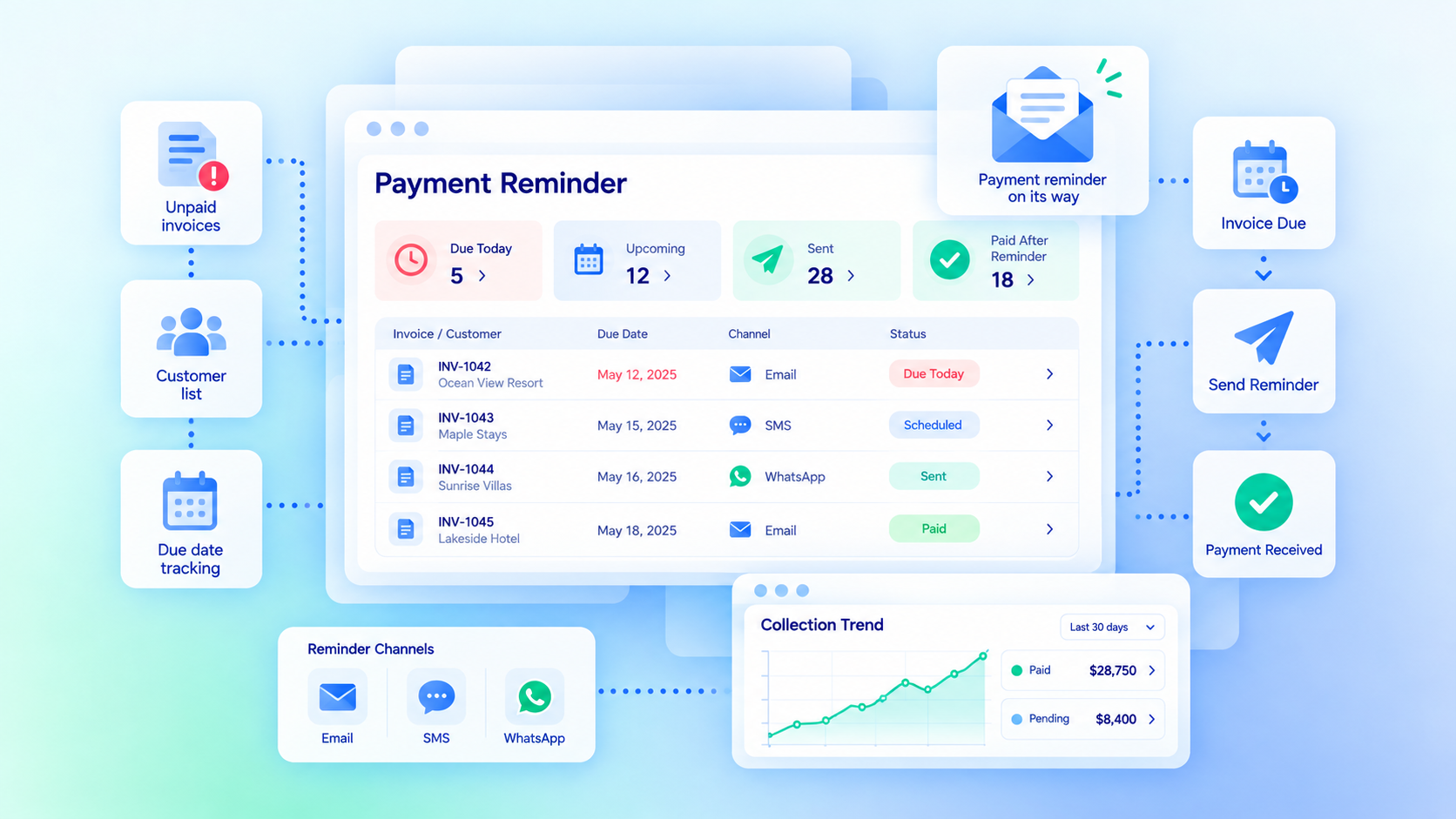
Set the Reminder Schedule
Choose when customers should hear from you before or after a payment is due.

Before Due Date
Send a reminder before the invoice reaches its due date.
On Due Date
Send a notification when payment is due.
After Due Date
Follow up when the invoice remains unpaid.
Recurring Billing
Use reminders around repeat billing schedules where configured.
Use the Billing Record as the Trigger
Keep reminders tied to the invoice, due date, customer, and payment status.
Invoice Due Date
Use the configured due date to control reminder timing.
Outstanding Balance
Continue the reminder workflow when an amount is still due.
Payment Status
Use the recorded payment status to decide whether another reminder is needed.
Customer Record
Keep the reminder history connected to the customer or account.
Keep the Workflow Flexible
Adjust reminder rules to fit the billing process.

Reminder Timing
Choose how many days before or after the due date a reminder should run.

Escalation
Route selected overdue records for staff follow-up when needed.
Pause or Stop
Stop reminders when the invoice is paid or staff pauses the workflow.
Message Template
Use the configured transactional message for the reminder.
Choose the Communication Layer You Need
Basic transactional reminders stay with Core. Broader email, SMS, and WhatsApp communication can use Communication Hub.
- Core transactional reminders for billing workflows
- Email reminders tied to invoice or payment status
- Communication Hub for broader email campaigns
- Communication Hub for SMS and WhatsApp messaging
- Message volume and provider costs depend on the communication setup
- Custom routing or integrations may require implementation work
Works With the Billing Flow
Payment reminders work best when invoice, payment, and recurring billing records stay connected.
Invoice Management
Use the invoice amount, due date, and balance as part of the reminder workflow.
View Invoice Management →Online Payment Collection
Give customers a path to pay when the reminder is sent.
View Online Payment Collection →Pricing
Standard transactional payment reminders are part of the Core billing workflow.
Core Package
Starts with 1–50 Active Bookable Units.
- Booking Engine + Reservation System
- Invoicing and Billing
- Recurring Billing
- Basic transactional communication
- Standard reports and dashboards
Communication Hub
Per organization, when broader multichannel communication is needed.
- Up to 5,000 emails
- Up to 500 SMS messages
- Up to 500 WhatsApp messages
- Broader communication workflows beyond basic transactional reminders
Manual Follow-Up vs Booking Ninjas
Keep reminders connected to the billing record instead of managing follow-up in a separate list.
| Capability | Manual Follow-Up | Booking Ninjas | Separate Messaging Tool |
|---|---|---|---|
| Invoice context | Manual lookup | Same billing workflow | Needs integration |
| Due-date rules | Tracked manually | Configured workflow | Needs billing data |
| Outstanding balance | Manual check | Connected billing record | Needs integration |
| Recurring billing | Manual schedule | Included in Core | Depends on setup |
| SMS / WhatsApp | Separate tool | Optional Communication Hub | Usually supported |
| Core reminder fee | Staff time | Included in Core | Separate subscription |
Frequently Asked Questions

Keep Payment Follow-Up Connected to Billing
Use invoice dates, balances, and payment status to drive the reminder workflow.