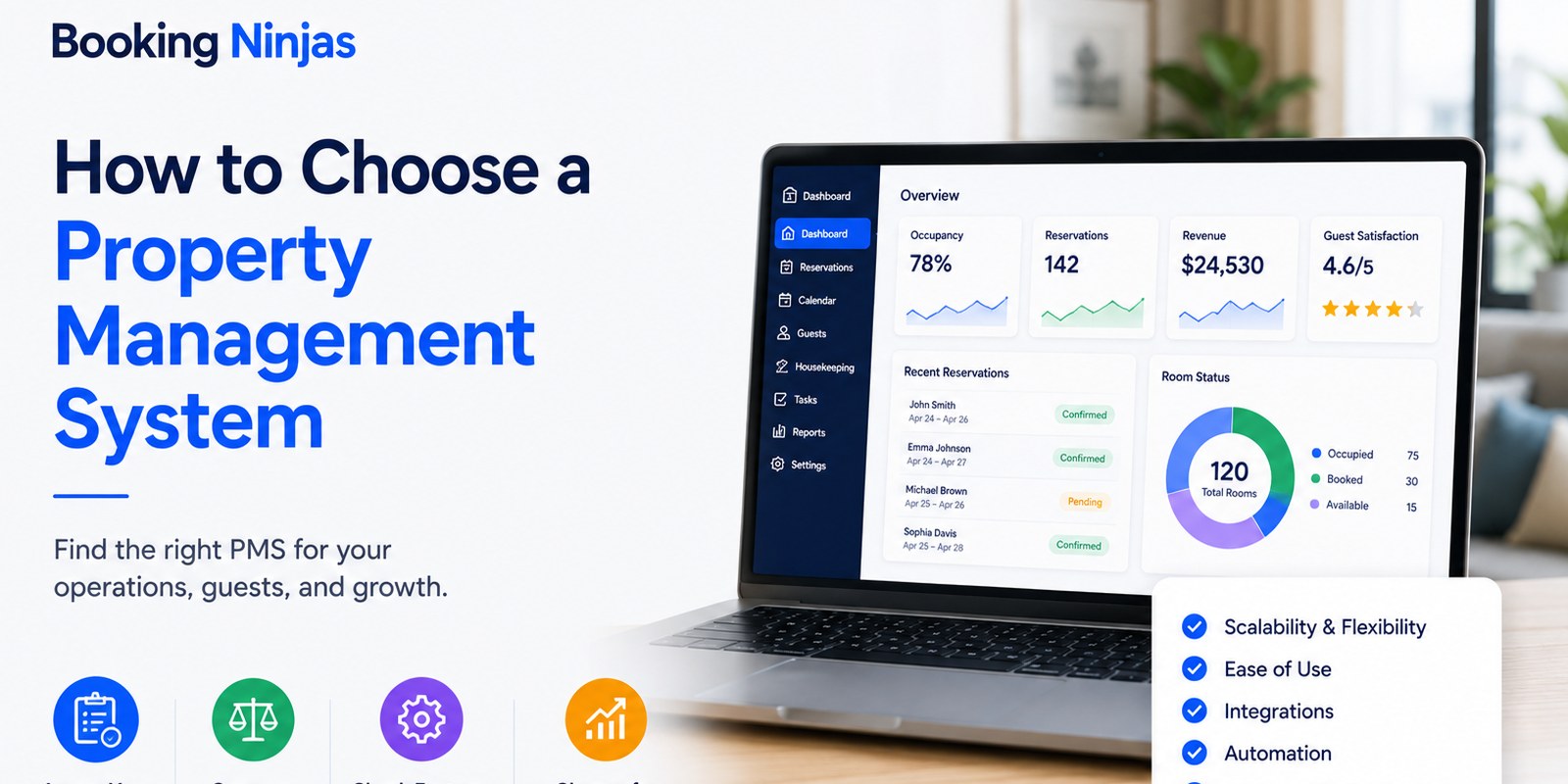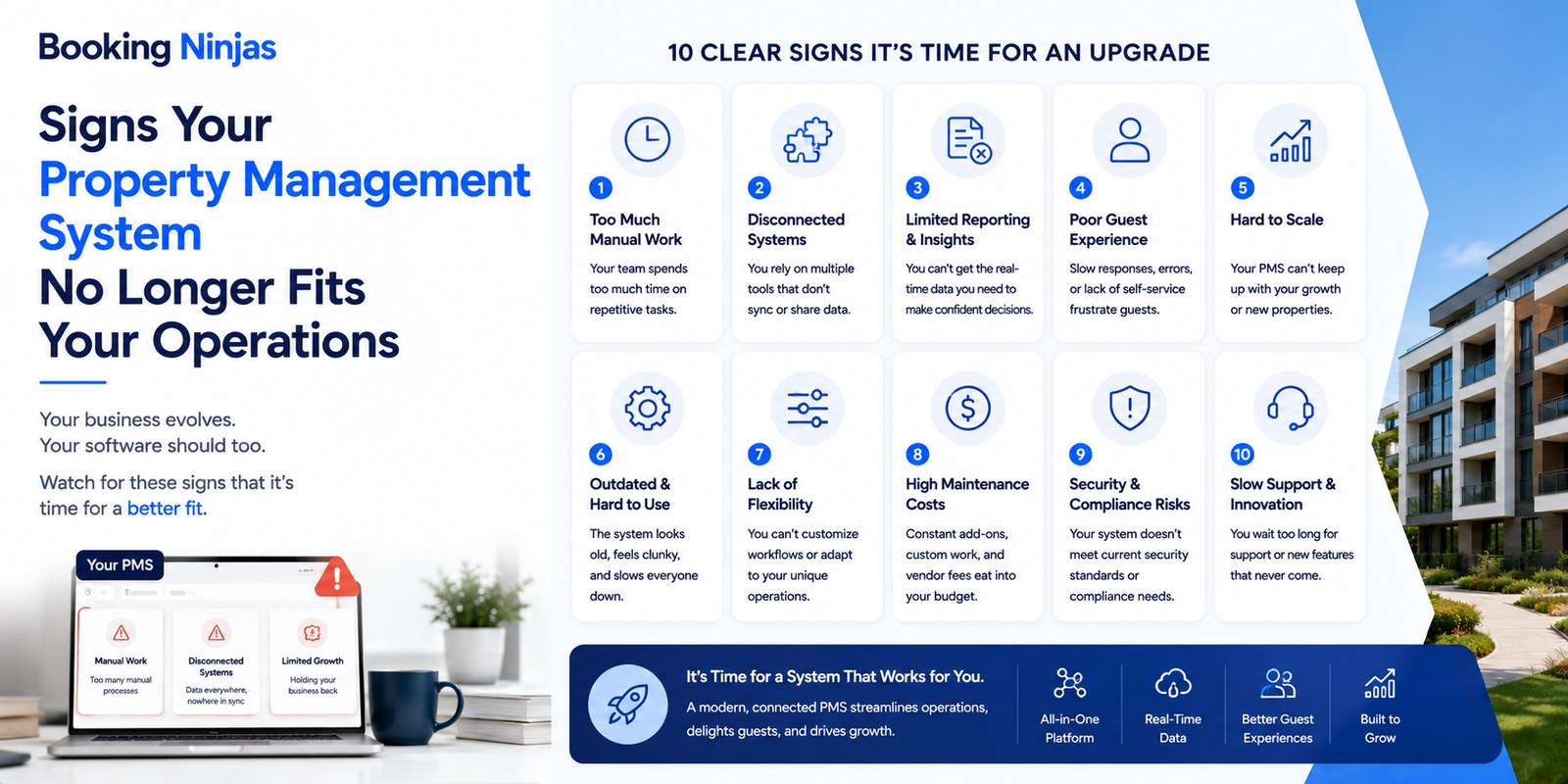
A property management system can still be technically functional while no longer fitting the way an organization operates. The warning signs usually appear as manual re-entry, disconnected workflows, weak reporting, difficult integrations, permission problems, shadow spreadsheets, or increasing effort every time the business changes.
That distinction matters because not every operational frustration is a software failure. A capable platform can still perform poorly when data structures, permissions, integrations, workflows, or implementation decisions no longer match the organization.
What are the main signs that a PMS is no longer working for your operation?
| Warning sign | What it usually reveals | What to investigate |
|---|---|---|
| 1. Repeated manual data entry | Systems or departments are not exchanging required information effectively. | System ownership, integration, workflow triggers, data mapping, and exception handling. |
| 2. Shadow spreadsheets and workarounds | Core operational workflows do not fit the system. | Configuration, workflow design, missing records, permissions, or genuine product gaps. |
| 3. Fragmented customer or property data | Teams lack connected operational context. | Data model, duplicate records, system of record, privacy, and integrations. |
| 4. Staff handle every routine interaction | Appropriate self-service or automated workflows may be missing. | Portal, booking, payment, request, notification, and exception requirements. |
| 5. Reports cannot answer management questions | Data, KPI definitions, or reporting architecture are weak. | Source data, metric definitions, dashboards, filters, and decision ownership. |
| 6. Support and change ownership are unclear | Teams do not know how defects, configuration requests, integrations, or new requirements are handled. | Support model, priorities, SLAs, scope, documentation, and change process. |
| 7. Important integrations are missing or unreliable | The PMS is isolated from systems the operation depends on. | API capability, system ownership, data direction, errors, security, and support. |
| 8. Permissions do not match responsibilities | Users may have too much access, too little access, or unclear ownership. | Roles, fields, records, approvals, administrative access, and user lifecycle. |
| 9. Data export or migration is poorly understood | The organization may be dependent on a system without a defined exit path. | Export formats, data ownership, attachments, history, integrations, cleansing, and migration scope. |
| 10. Every new requirement becomes difficult | The platform or implementation may no longer adapt to operational change. | Data model, configurability, workflows, integrations, governance, usability, and platform architecture. |
1. Staff repeatedly enter the same information into different systems
Manual re-entry is one of the clearest indicators that the technology architecture needs attention.
Examples include copying reservation information into another application, updating availability independently across systems, re-entering invoices, transferring customer details manually, or reconciling operational records through spreadsheets.
But the solution is not necessarily to force every business function into the PMS.
Instead, determine:
- Which system owns the record?
- Which other systems need the information?
- Which fields need to move?
- In which direction should they move?
- What event should trigger the exchange?
- How should failures be handled?
- Who owns reconciliation?
- Is an integration actually required?
Booking Ninjas' Integrations environment supports APIs, middleware, financial systems, analytics, CRM, payment, communication, and other external-system connections within its Salesforce-native architecture.
2. Important workflows have moved into spreadsheets, inboxes, or chat
A workaround becomes significant when it stops being an occasional exception and becomes the normal way a department operates.
Examples can include:
- Approval spreadsheets
- Separate maintenance trackers
- Email-based task assignments
- Manual arrival lists
- Independent billing trackers
- Untracked service requests
- Separate occupancy calculations
- Personal staff checklists
The first question is why the workaround exists. The process may need a missing field, a new relationship, different permissions, a configurable workflow, an integration, or genuinely new functionality.
Booking Ninjas' Workflow & Process Management supports configured routing, role-based assignments, approvals, escalation, branching, notifications, and exception handling.
3. Teams cannot see the customer and property context they need
The problem is not simply that the PMS stores “too little customer data.” More data is not automatically better.
The stronger question is whether authorized teams can access the relevant information required for the workflow they are performing.
Depending on the operation, useful context might connect:
- Customer identity
- Reservations or agreements
- Property, room, unit, or resource
- Payments and invoices
- Requests
- Documents
- Communication history
- Operational status
Access should still respect purpose, permissions, privacy requirements, and the organization's data-governance model.
Booking Ninjas is built natively on Salesforce , allowing property-specific records, customer context, permissions, workflows, reporting, and integrations to use the same platform foundation.
4. Staff are required for every routine customer interaction
Not every customer interaction should be automated or moved to self-service. Some situations require staff judgment, accessibility support, dispute resolution, safety procedures, unusual requests, or personal service.
But routine activities can become unnecessary bottlenecks when customers have no appropriate digital path for actions such as:
- Viewing booking information
- Accessing invoices
- Making eligible payments
- Submitting service requests
- Reviewing documents
- Managing communication preferences
- Checking request status
- Making permitted reservation changes
Booking Ninjas' Guest Portal supports controlled self-service for bookings, payments, documents, requests, account information, and communication according to the configured operating model.
5. Your reports cannot answer the questions management actually asks
A PMS should not be judged simply because a monthly number is lower than expected. Software does not guarantee occupancy, revenue, profitability, satisfaction, or productivity.
A more useful test is whether the system can provide reliable information for real management questions.
For example:
- What changed? Can the system compare periods, properties, departments, or segments?
- Why might it have changed? Can managers drill into the records behind the KPI?
- Who owns the issue? Can the information connect to the relevant team or workflow?
- What happened afterward? Does the operational history show actions and outcomes?
Booking Ninjas' Insights and Custom Dashboards provide Salesforce-based reporting, configurable KPI views, filtering, comparisons, trends, and role-based visibility.
6. Nobody knows who owns support, defects, integrations, or changes
The important question is not whether every PMS vendor offers universal 24/7 support. Different operations require different support arrangements.
What matters is whether the support model is clear.
- How is an issue submitted?
- How is priority determined?
- What counts as a defect?
- What counts as a configuration request?
- What counts as new development?
- Who owns third-party integration issues?
- How are releases communicated?
- What documentation is maintained?
If these boundaries are unclear, teams can experience delays even when the underlying software is capable of supporting the process.
7. Critical integrations are missing, brittle, or poorly governed
A modern PMS does not need the largest possible integration marketplace. It needs the integrations required by the organization's actual architecture.
Depending on the business, these may include:
- Accounting
- ERP
- Payment processors
- CRM
- Distribution systems
- Analytics
- Communication platforms
- Access infrastructure
The more important questions are whether each integration has a clear system of record, data scope, direction, authentication model, synchronization behavior, error process, and support owner.
Booking Ninjas' API Integration supports REST API and event-driven connectivity, while broader integrations can also use middleware or iPaaS approaches where appropriate.
8. User permissions no longer match operational responsibilities
PMS fit is also a governance question.
A growing organization may need different access rules across properties, departments, roles, management levels, contractors, portals, integrations, and administrators.
Warning signs include:
- Everyone sees almost everything
- Staff share accounts
- Users cannot access records needed for their job
- Approval authority is unclear
- Former users remain active
- Administrative access is too broad
- Different properties cannot be separated appropriately
- Integration accounts have excessive permissions
Booking Ninjas' Salesforce-native foundation can use Salesforce permissions, role structures, sharing, workflow controls, and broader governance capabilities around property operations.
9. You do not know how your data would move to another system
Data portability is important, but a genuine PMS migration is rarely a matter of moving everything with a few clicks.
A migration can require decisions about:
- Which records will move
- Historical data
- Customer or resident profiles
- Future reservations or agreements
- Invoices and balances
- Documents and attachments
- Data cleansing and duplicates
- Field mapping
- Integration cutover
- Validation and testing
The warning sign is not that migration requires work. It is that the organization cannot determine what it owns, what can be exported, which formats are available, or how critical operating history would be reconstructed.
Booking Ninjas' PMS Implementation includes migration and transition activities as part of scoped implementations. The exact approach depends on the source systems, data quality, integrations, requirements, and agreed project scope.
10. Every operational change becomes a software problem
Organizations change. They add properties, services, customer types, pricing models, departments, approval requirements, integrations, reporting needs, and new operating processes.
A PMS becomes restrictive when even reasonable changes require teams to rebuild processes outside the system or replace core architecture.
Evaluate whether the system can adapt through:
- Configurable records and fields
- Relationships between records
- Roles and permissions
- Workflow changes
- Approvals
- Notifications
- Dashboards and reports
- Integration changes
- New properties or entities
- Additional applications
Booking Ninjas is built natively on Salesforce. This provides a platform foundation intended to reduce the risk of outgrowing the system because property-specific data, workflows, permissions, reporting, integrations, and applications can evolve on the same underlying platform.
That does not mean every future requirement can be added instantly. Significant changes can still require analysis, design, configuration or development, testing, implementation, and commercial scope.
Where does usability fit into the decision?
Ease of use still matters, but “any computer user should understand the PMS without instruction” is not a realistic standard for a complex operating platform.
A better usability test asks whether each role can perform its regular work efficiently after appropriate configuration and training.
Review:
- Number of steps in frequent workflows
- Information visible to each role
- Navigation consistency
- Required manual entry
- Error and exception handling
- Mobile or remote-use requirements
- Training requirements
- Accessibility requirements
Usability should therefore be tested with real workflows rather than judged only from the appearance of a demonstration screen.
Do these warning signs mean you should replace your PMS?
Not automatically.
A useful review separates four possible causes:
| Cause | Example | Possible response |
|---|---|---|
| Configuration problem | The capability exists but fields, permissions, or rules do not match the workflow. | Reconfigure and retest. |
| Integration problem | The required record exists elsewhere but systems are not exchanging it correctly. | Redesign or repair the integration. |
| Process or adoption problem | Staff use workarounds despite an appropriate configured workflow. | Review process design, training, ownership, and usability. |
| Platform or product limitation | A critical operating requirement cannot reasonably be supported by the current architecture. | Evaluate expansion, new development, another system, or PMS replacement. |
What should you review before switching property management systems?
Before evaluating replacement platforms, document the actual operating problems first.
- Map the workflow. Show how the process works today, including manual steps, handoffs, exceptions, and external systems.
- Identify the source of truth. Determine which platform owns each important record.
- List integrations. Document the data, direction, trigger, authentication, error handling, and owner for each connection.
- Review permissions. Determine which roles need access to which records and actions.
- Define management questions. Document which KPIs and reports leadership actually needs.
- Map migration scope. Identify the history, active records, balances, documents, and future activity that must move.
- Define implementation requirements. Include configuration, integrations, testing, training, cutover, and support ownership.
- Test real scenarios. Evaluate replacement software against normal workflows and exceptions instead of relying only on a feature tour.
How does Booking Ninjas approach these PMS limitations?
Booking Ninjas is a Salesforce-native platform for bookings and operations . Property records, customers, bookings, payments, operational workflows, portals, reporting, permissions, automation, and integrations can use the broader Salesforce platform foundation according to the configured implementation.
The architectural advantage is not that every organization should eliminate every external system. It is that the PMS can act as a connected property-operations layer while accounting, ERP, payment, analytics, access, communication, and other specialist systems remain part of the wider architecture where appropriate.
Use Salesforce data, permissions, workflows, reporting, integrations, and application architecture for property operations.
Explore Salesforce DNA →Structure routing, assignments, approvals, notifications, escalations, and operational exceptions.
Explore Workflow & Process →Connect property operations with finance, payments, CRM, analytics, communication, infrastructure, and other systems.
Explore Integrations →Provide controlled self-service for eligible bookings, payments, documents, communication, and service requests.
Explore Guest Portal →Build reporting and decision support around connected operational, financial, and customer information.
Explore Insights →Scope migration, configuration, integrations, testing, transition, and other implementation requirements.
Explore PMS Implementation →Frequently asked questions
What are the signs that a property management system needs to be replaced?
Common warning signs include repeated manual data entry, critical workflows running in spreadsheets, fragmented records, inadequate reporting, missing or unreliable integrations, unclear support, poor permission controls, difficult data portability, and a platform that cannot reasonably adapt to important operational changes.
Does manual work always mean the PMS is bad?
No. Manual work can result from missing configuration, an integration problem, poor process design, inadequate training, or a genuine product limitation. The cause should be identified before deciding to replace the system.
Should a good PMS integrate with every business system?
No. A PMS should integrate with the external systems required by the organization's operating architecture. Each important integration should have clear data ownership, scope, direction, authentication, synchronization, error handling, and support responsibility.
Should a PMS replace accounting or ERP software?
Not necessarily. Accounting, ERP, payment, CRM, analytics, access, and other specialist systems can remain part of the architecture. The important decision is which system owns each record and how required information and workflows move between them.
Should a PMS be usable without training?
Not necessarily. Usability should be judged by whether each role can perform its regular workflows efficiently after appropriate configuration and training. Complex property operations may still require structured onboarding and process documentation.
Should PMS migration be possible with a few clicks?
No. A proper migration can require data mapping, cleansing, historical-data decisions, integration changes, testing, validation, document transfer, and cutover planning. The important issue is whether the organization can access its data and define a workable migration path.
How do I know whether to fix or replace my current PMS?
Determine whether the problem comes from configuration, integration, process design, user adoption, or an actual platform limitation. Replacement becomes more relevant when important operating requirements cannot reasonably be supported by the existing architecture.
Is Booking Ninjas built on Salesforce?
Yes. Booking Ninjas is Salesforce-native, allowing property data, workflows, permissions, reporting, automation, portals, and integrations to use the broader Salesforce platform foundation.
Test the operating model, not just the feature list
See how Booking Ninjas can connect property data, workflows, customer self-service, reporting, permissions, and external systems within one Salesforce-native operating environment.