.png)
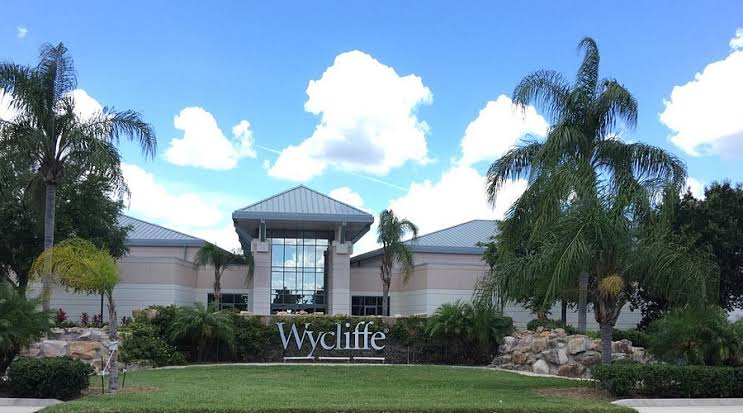
Wycliffe Bible Translators needed a better way to manage its internal apartment operation. The hard part was not simply keeping a calendar of around 40 apartments.
Staff were answering availability questions, reviewing requests, arranging group stays, assigning apartments, handling different payment methods, scheduling cleaning, and rebuilding reports around the same stays.
Too much of that work depended on people moving information between forms, email, spreadsheets, and Salesforce.
The problem: too much time went into answering “Do we have space?”
Before Booking Ninjas, apartment requests depended heavily on a Google Form, email, and staff coordination.
One of the clearest pain points was availability. A large share of apartment-related messages were people simply asking whether housing was open for certain dates.
Staff then had to work through the rest of the request:
- Check apartment availability
- Review individual requests
- Review group requests
- Choose apartment types
- Assign specific units
- Prepare billing information
- Arrange cleaning
- Prepare reports
Groups made this harder. One group could need several two-bedroom and three-bedroom apartments, different arrival and departure dates, different payers, and occupant names that were not known when the first request was submitted.
The solution: make one step lead into the next
Booking Ninjas built the apartment workflow inside Wycliffe's existing Salesforce environment.
The useful part was not one feature. It was letting the same stay move through the steps that Wycliffe already needed.
Staff can see apartment availability, pending requests, and confirmed stays across dates.
A guest or group can ask for the dates and apartment types they need.
Wycliffe keeps control over approval, group blocks, and the apartments that are assigned.
Invoices, payment methods, occupants, and stay details remain connected to the reservation.
Check-out can lead into cleaning work while the same records support operations and finance reports.
This is the wider idea behind connected business operations : the booking can stay linked to the work that happens before, during, and after it.
How the Wycliffe setup solved each part of the workflow
| Wycliffe need | Booking Ninjas setup | What became easier |
|---|---|---|
| See apartment availability | Availability Calendar + Reservation Management | Staff can work from a visual calendar instead of rebuilding availability from forms, email, and separate checks. |
| Keep requests tentative first | Request-based reservation workflow | A request can be reviewed before Wycliffe approves it and assigns specific apartments. |
| Handle large groups | Group Booking | Several apartments, travelers, dates, and group-level details can stay together instead of becoming unrelated reservations. |
| Assign travelers later | Group block + individual assignment | Wycliffe can reserve enough apartment inventory first and decide who occupies each apartment later. |
| Handle different payers | Invoice Management + Split Billing | External payments, internal department charges, and different payment responsibilities can stay tied to the reservation. |
| Prepare apartments after checkout | Work Order Management | A completed stay can lead into cleaning work instead of depending on a separate manual handoff. |
| Give teams different reports | Salesforce reports + Booking Ninjas reporting | Operations and finance can work from the same reservation data while keeping the views they need. |
Showing availability did not mean giving up control
This was an important part of the Wycliffe workflow.
The organization wanted guests and groups to have a clearer way to see what might be available and submit a request.
But an open apartment did not automatically mean that request should become a confirmed reservation.
Wycliffe staff still needed to review the request, check the wider housing situation, approve or decline it, and decide which apartments should actually be used.
Booking Ninjas preserved that step instead of forcing Wycliffe into instant confirmation.
The Knowledge Center explains the difference between tentative and confirmed bookings .
Group stays could stay together without making every traveler identical
A large group does not always arrive and leave as one unit.
Wycliffe could need several apartments for the same group while individual travelers still had different dates, room assignments, or payment arrangements.
Booking Ninjas separated the group from the individual details.
Wycliffe could first answer the big question: Do we have enough apartments for this group?
The required inventory could then be blocked before every occupant name was known. Individual assignments could be added later as the stay became clearer.
This is what makes group bookings different from simply creating a long list of individual reservations.
The current Booking Ninjas Group Booking capability follows the same wider model: group-level and individual-level information can remain connected while dates, people, rooms, or resources change.
The billing flow also had to understand Wycliffe
Not every apartment stay was paid the same way.
Some payments could be made by credit card or cash. Others could be charged internally to a Wycliffe department or journal.
A reservation could also have more than one payer.
Booking Ninjas was configured so those payment relationships could remain part of the same reservation history instead of forcing staff into an outside billing process.
Invoices could be split when different people or departments were responsible for different parts of a stay. Once paid, the billing history could remain connected with the reservation.
For the wider booking-to-billing structure, see How Bookings Connect to Invoices .
The reservation could trigger the work that comes after checkout
The apartment is not ready for the next guest just because the previous reservation ended.
It still needs to be cleaned and prepared.
Booking Ninjas connected that operational step to check-out. A completed stay could create the cleaning work needed for the apartment.
Cleaning staff could work through simple statuses such as in progress, completed, or cancelled, while supervisors could see which apartments still needed attention.
That turned cleaning from a separate handoff into the next step of the same apartment workflow.
Booking Ninjas had to fit Wycliffe's Salesforce org, not replace it
Wycliffe already had Salesforce.
Its team already had rules around accounts, contacts, nonprofit data relationships, required fields, reporting, data quality, and permissions.
Starting again in a separate reservation database would have created another place to keep in sync.
Instead, Booking Ninjas worked with Wycliffe's existing Salesforce structure and refined the apartment workflow around it.
That included Wycliffe-specific details such as apartment classifications, floor preferences, tax exemptions, payment types, invoice layouts, reporting, and terminology.
The technology underneath can come from Booking Ninjas and Salesforce, but Wycliffe still decides how its own housing operation needs to work.
The setup kept improving when real users tested it
User acceptance testing brought out details that are easy to miss in a generic product checklist.
Wycliffe users asked for things such as first-floor and second-floor preferences, clearer differences between two-bedroom and three-bedroom units, more realistic limits on group requests, better calendar visibility, tax-exempt handling, improved finance reports, and changes to invoice and receipt layouts.
Those requests were used to refine Wycliffe's version of the workflow.
That is an important part of implementation: Salesforce provides strong technology, but the useful product appears when the rules on screen match the work people actually do.
What became easier in the Wycliffe workflow
There are no numerical post-launch results in the material used for this story, so the improvement is best shown through the work that became connected.
Staff could work from a visual apartment calendar instead of rebuilding the answer through repeated email checks.
Apartment blocks, group information, individual travelers, and different dates could stay related.
Online requests could make intake easier without turning every request into an automatic confirmed reservation.
Normal payments, internal department charges, and split responsibilities could remain part of the same booking flow.
The end of a stay could create the next operational task instead of relying on another manual handoff.
Wycliffe did not need to create another disconnected database for apartment operations.
The booking was the core, but the operation needed more around it
Wycliffe is a good example of why Booking Ninjas starts with bookings and reservations but does not have to stop there.
Reservation Management handled the core stay. Group Booking extended it for larger groups. Invoice Management and Split Billing handled the financial side. Work Order Management connected the stay to cleaning. Salesforce reporting supported operations and finance.
That is where Booking Ninjas fits especially well: when one booking touches several different parts of the same organization and those parts need to stay connected.
A simpler reservation case can use fewer pieces. Wycliffe needed more because its workflow was more complex.
Learn more about this workflow
See how one group can stay connected while people, spaces, dates, and individual details still differ.
How Group Bookings Work →See how charges, invoices, payments, and the reservation can stay connected.
How Bookings Connect to Invoices →See why reservations, payments, staff work, facilities, and reporting work better when the records can follow the same operation.
How Booking Ninjas Connects Business Operations →Have more happening around a stay than a normal booking system can handle?
See how Booking Ninjas can connect reservations, groups, approvals, billing, operational work, reporting, and your existing Salesforce data around the way your organization already works.



.jpeg)






.jpg)